Article · Materials

PBR Material Creation
Methods Comparison

A deep dive into the most common approaches for creating PBR materials and how they stack up.

Physically Based Rendering (PBR) has become the industry standard for creating realistic materials. But there are several different workflows for getting there — and choosing the right one can save you hours.

In this article, we’ll compare four methods for creating PBR materials: Photogrammetry, Procedural Generation, Hand-Painted, and AI-Assisted Generation. We’ll look at the pros and cons of each, as well as some benchmark data for processing times.

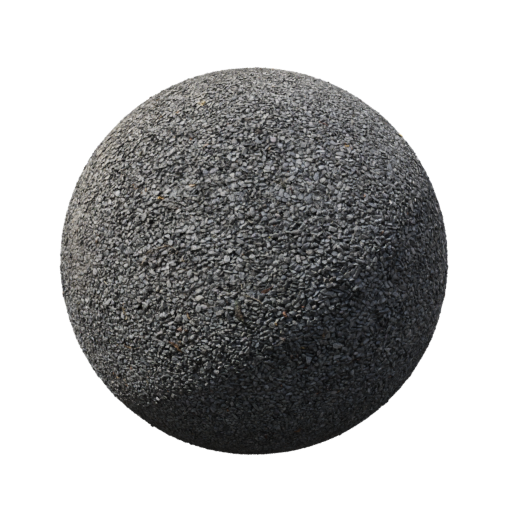
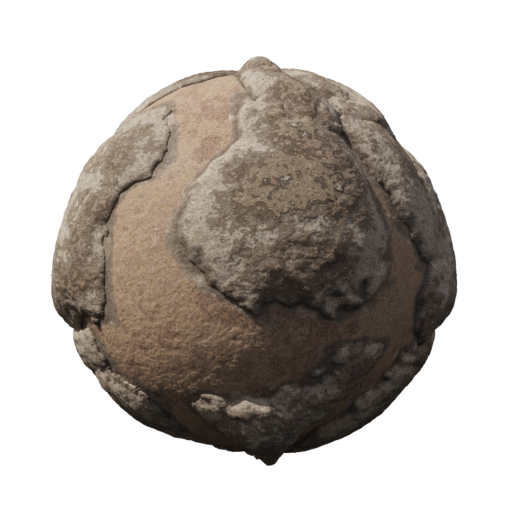
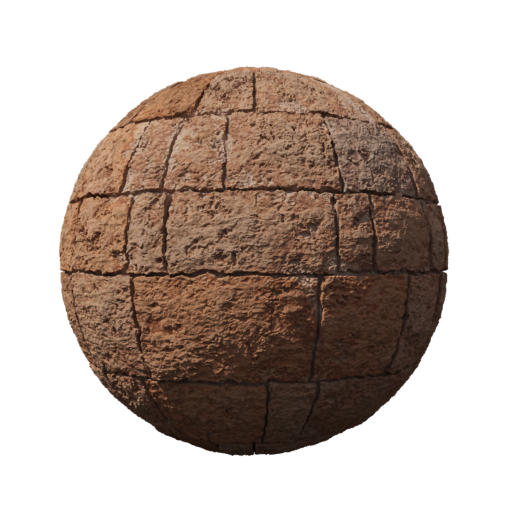
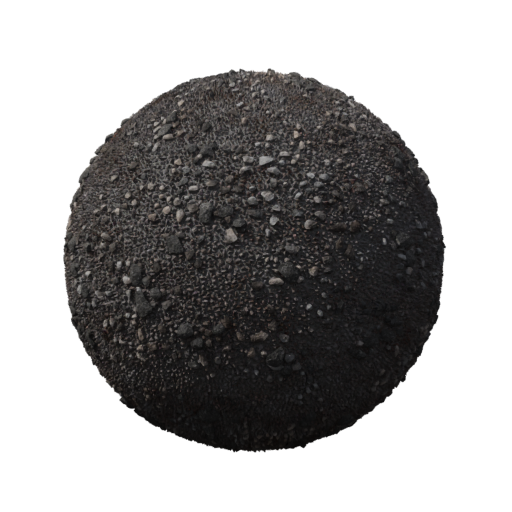
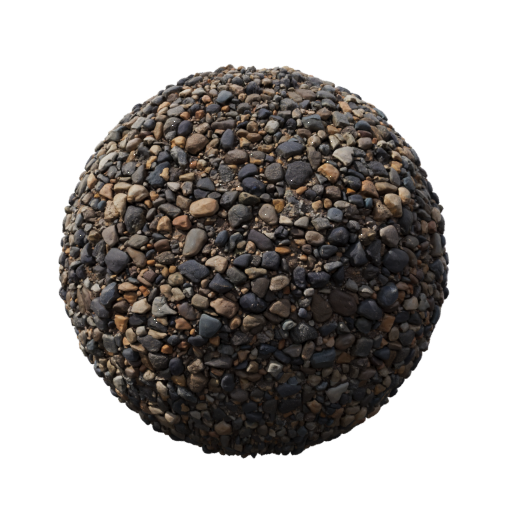
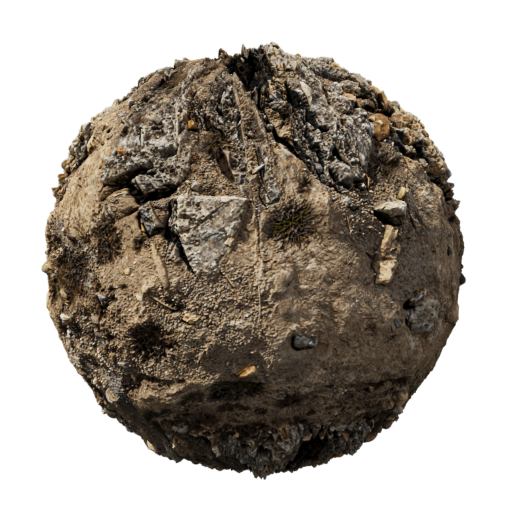
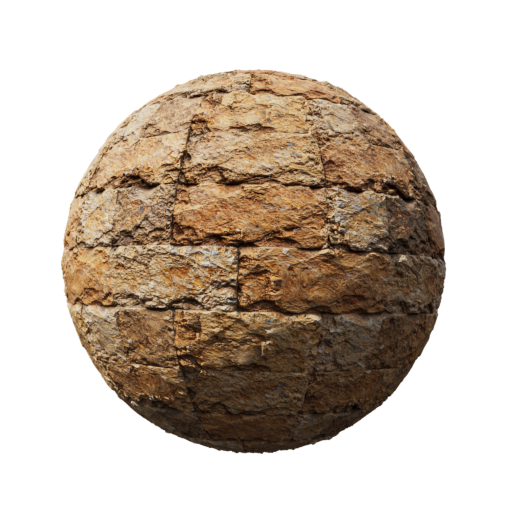
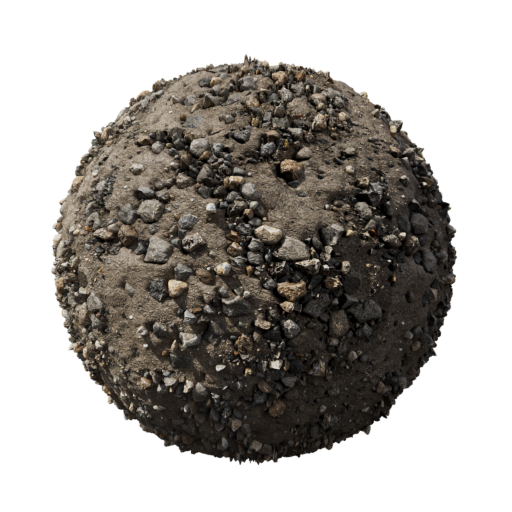
These are the 4 example materials used for the benchmark tests. You can download them and use them in your own projects. These Materials are made with the Photogrammetry method and I recreated them in the other methods to compare the results. The Materials are free to use and are licensed under CC0.
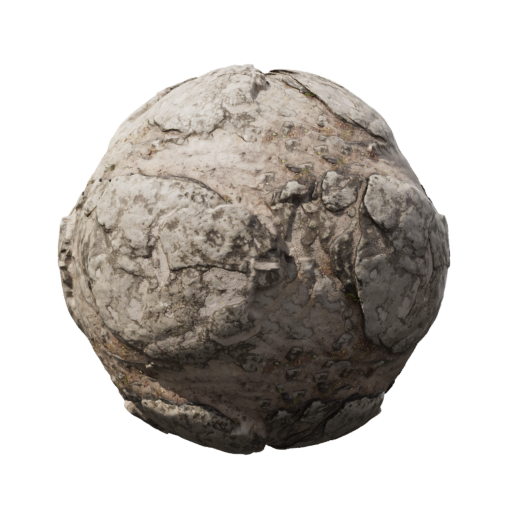
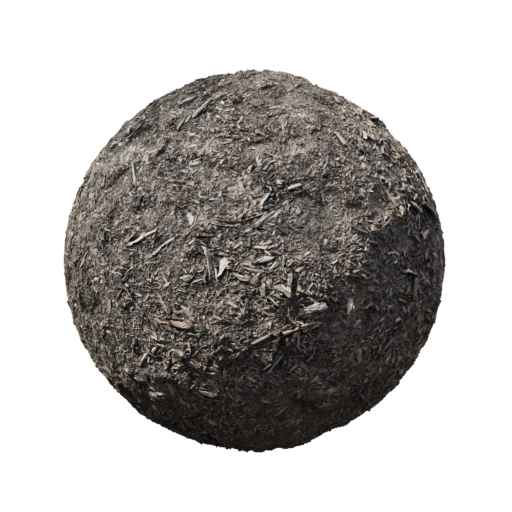
Bild 1
Bild 2
Bild 3
Bild 4

1. Photogrammetry

Photogrammetry involves capturing real-world surfaces with a camera and processing the images to create high-fidelity PBR materials. The results can be stunningly realistic, especially for natural materials like rocks, wood, or other Surfaces. With this method, you can get real and true detail from the real world, including imperfections and variations that are hard to replicate manually. Plus, you get a grate displacement and normal map from the same source. The barrier to entry has also lowered significantly. You can even capture small objects or surfaces with a smartphone, making it accessible for hobbyists and professionals alike.

The downside is the time investment — you need controlled lighting like cloudy outside light, many photos, and dedicated software like RealityCapture, Metashape or Meshroom.

Photogrammetry Processing Time Comparison

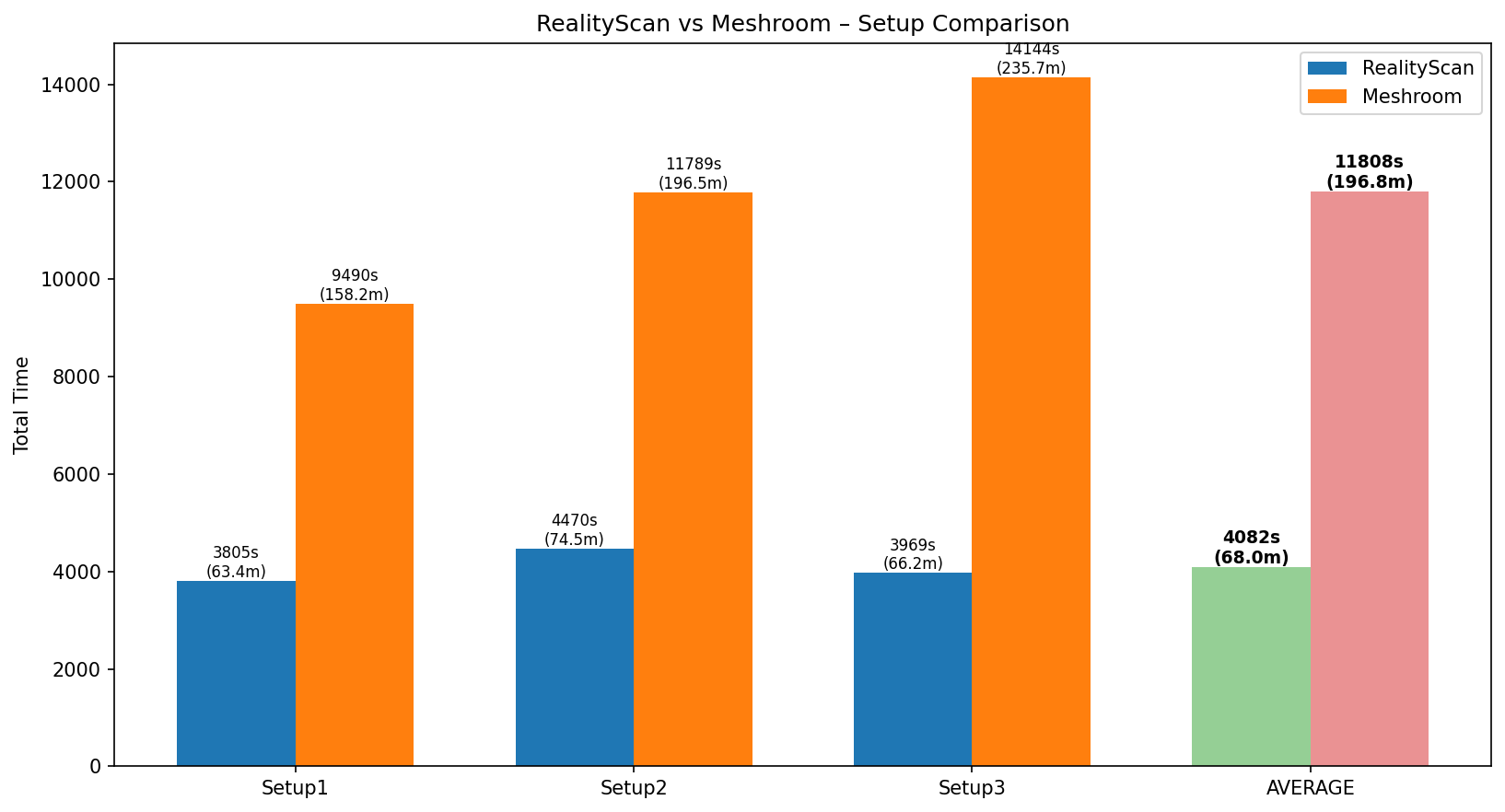
Here are some benchmarks with diffrent hardware setups and software for photogrammetry processing times:

Software Hardware Avarge
RealityCaptureRyzen 7 5800x, 64GB RAM, NVIDIA RTX 3090~63 minutes
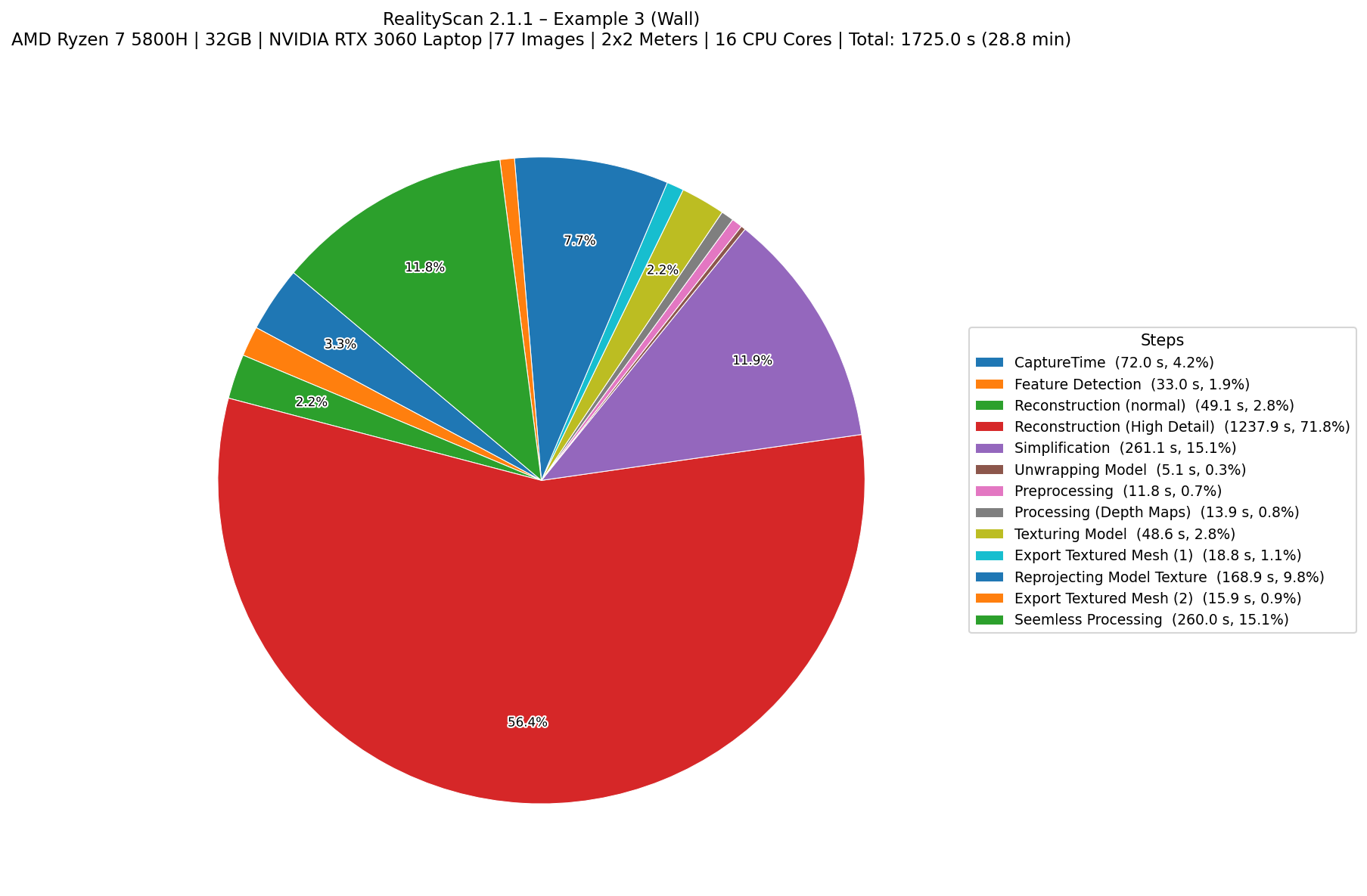
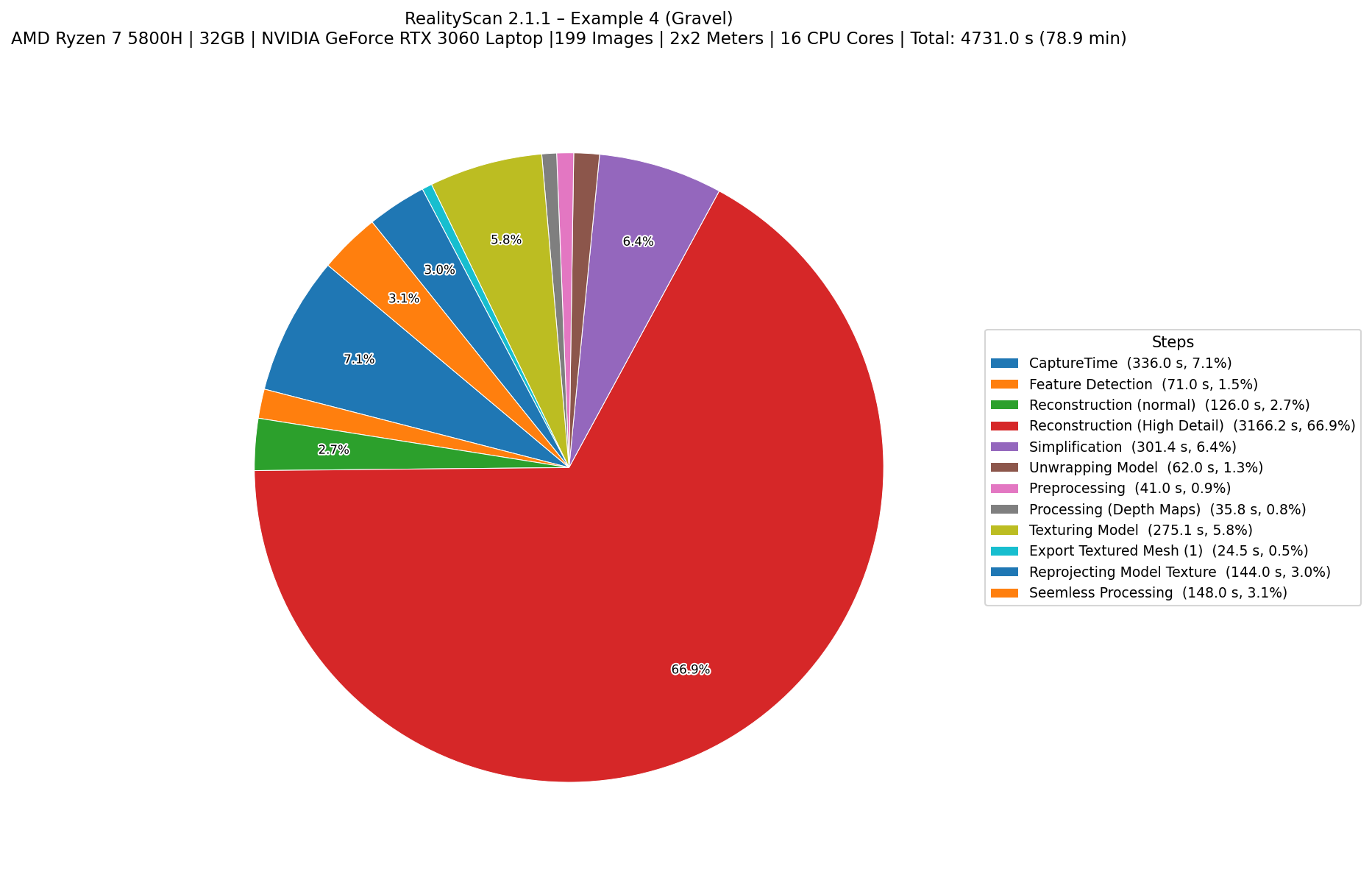
RealityCaptureRyzen 7 5800H Laptop, 32GB RAM, NVIDIA RTX 3060~77 Minutes
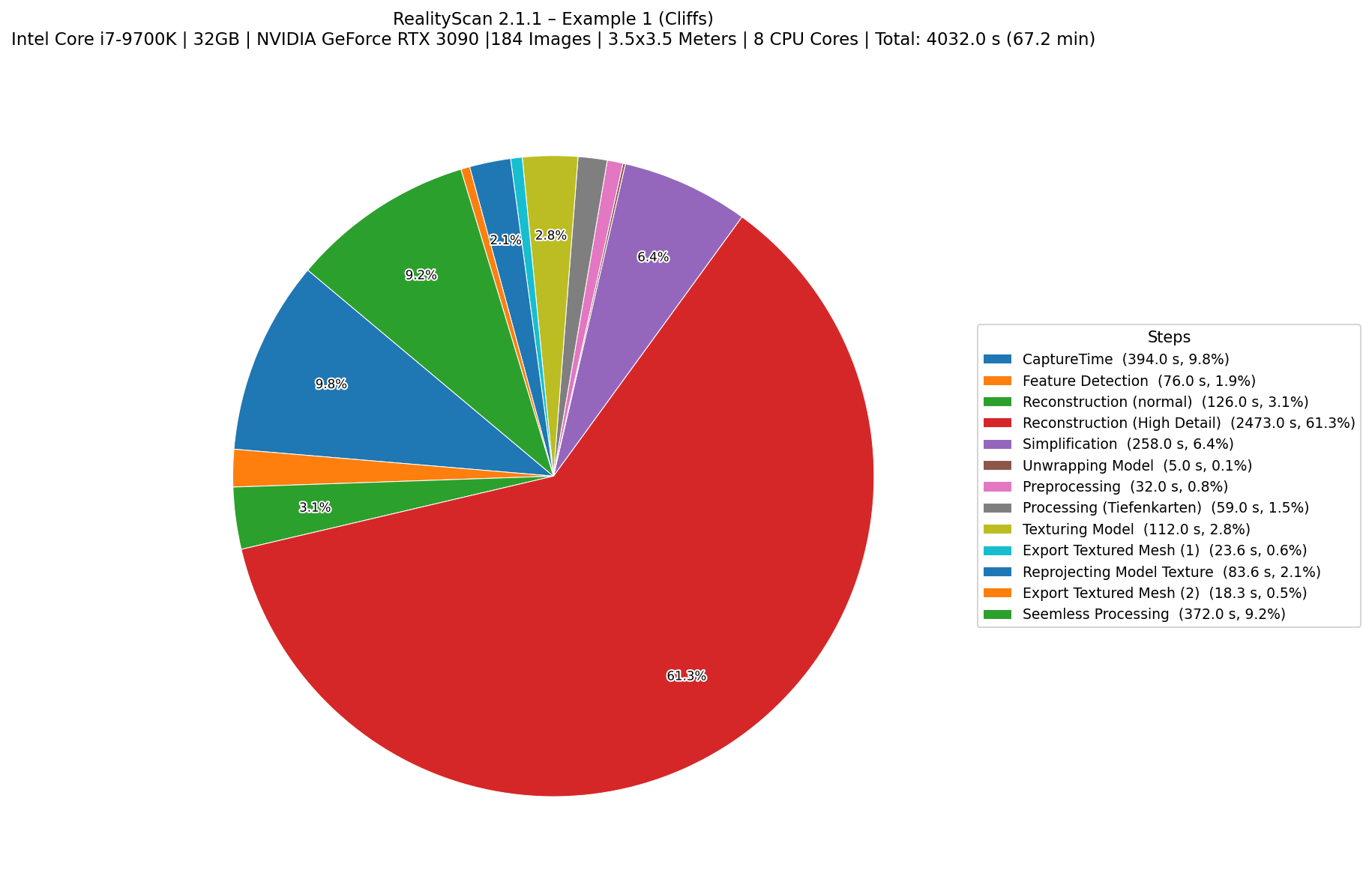
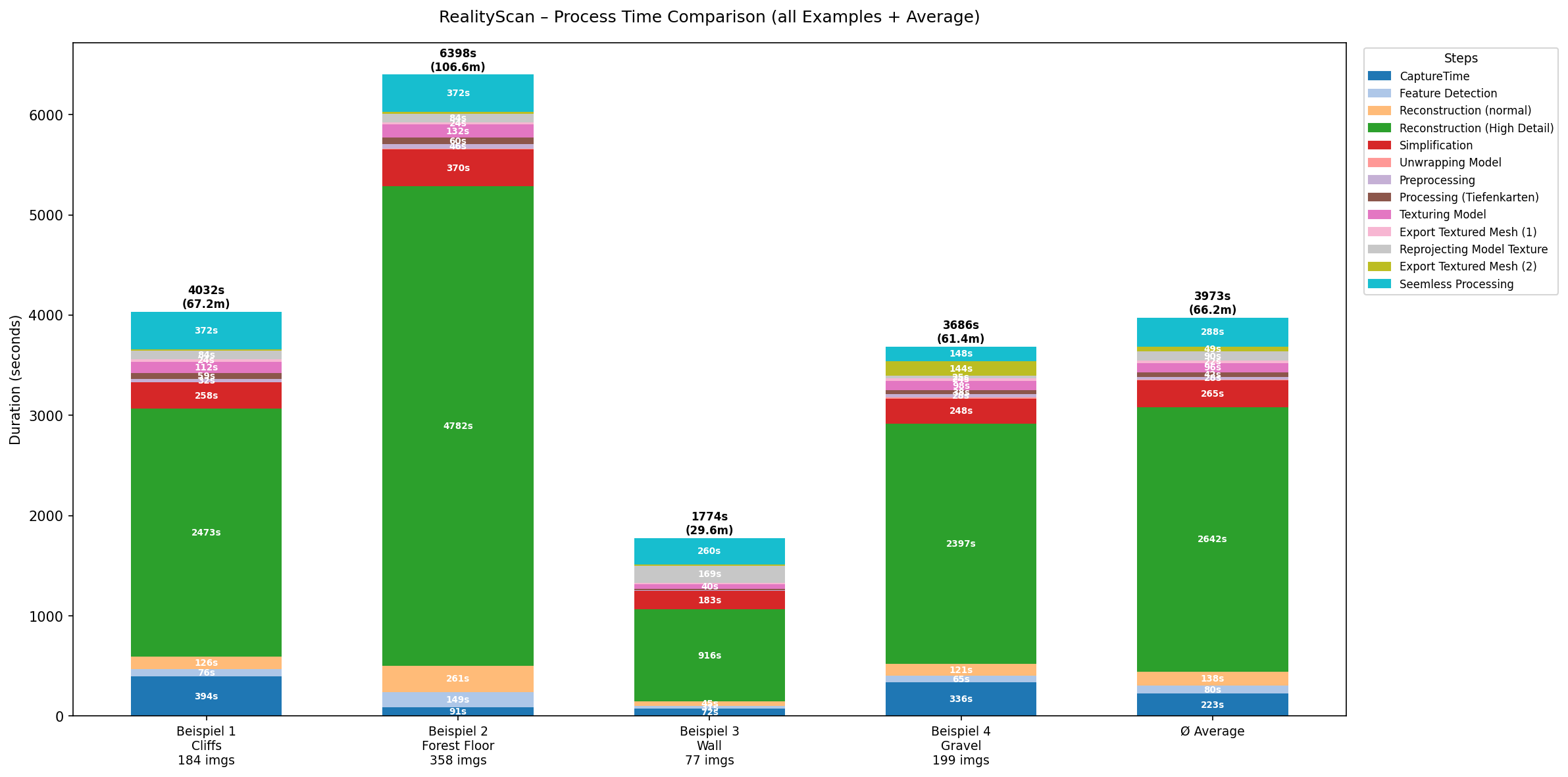
RealityCaptureIntel Core i7 9700k, 32GB RAM, NVIDIA RTX 3090~66 Minutes
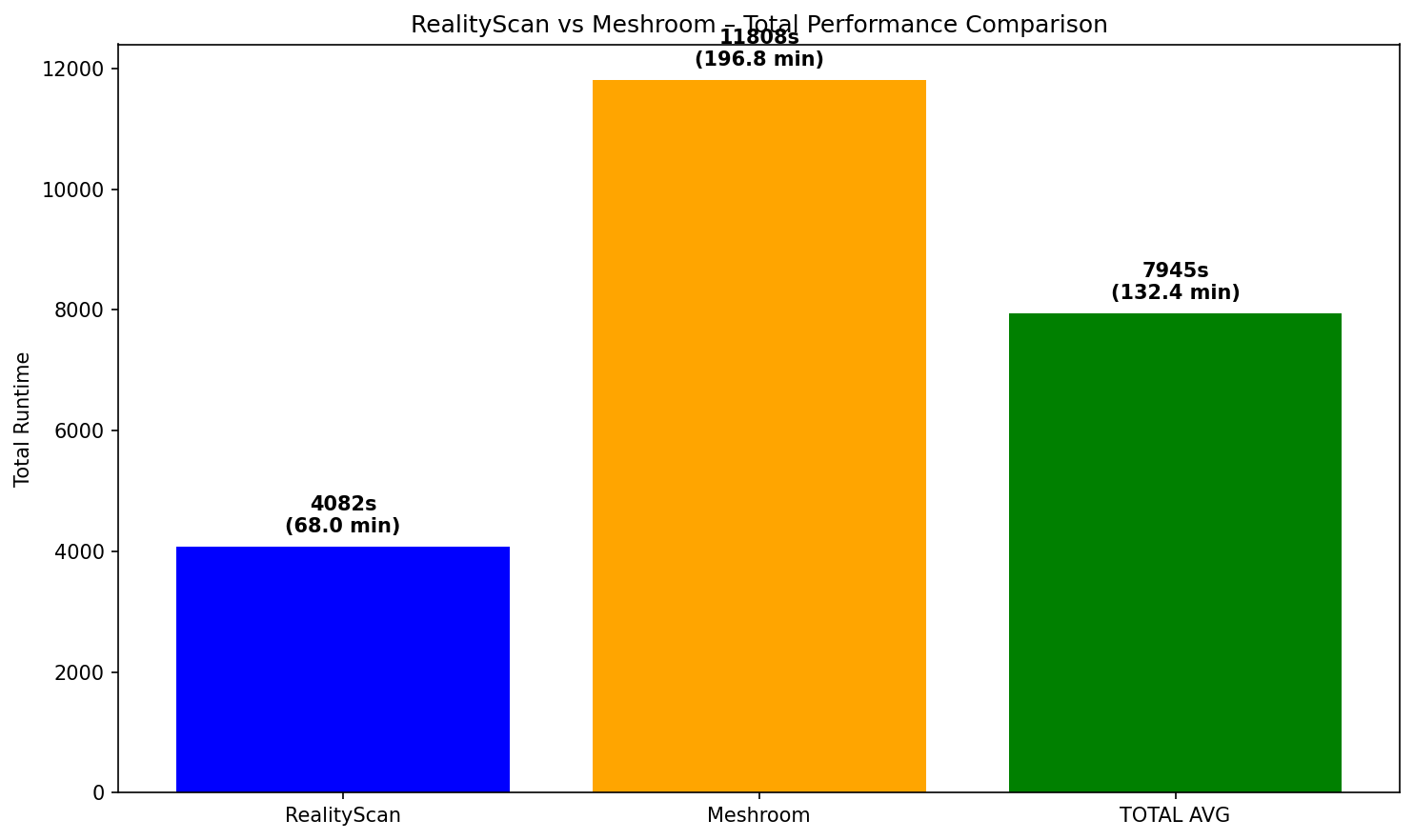
RealityCapture Average/~69 Minutes
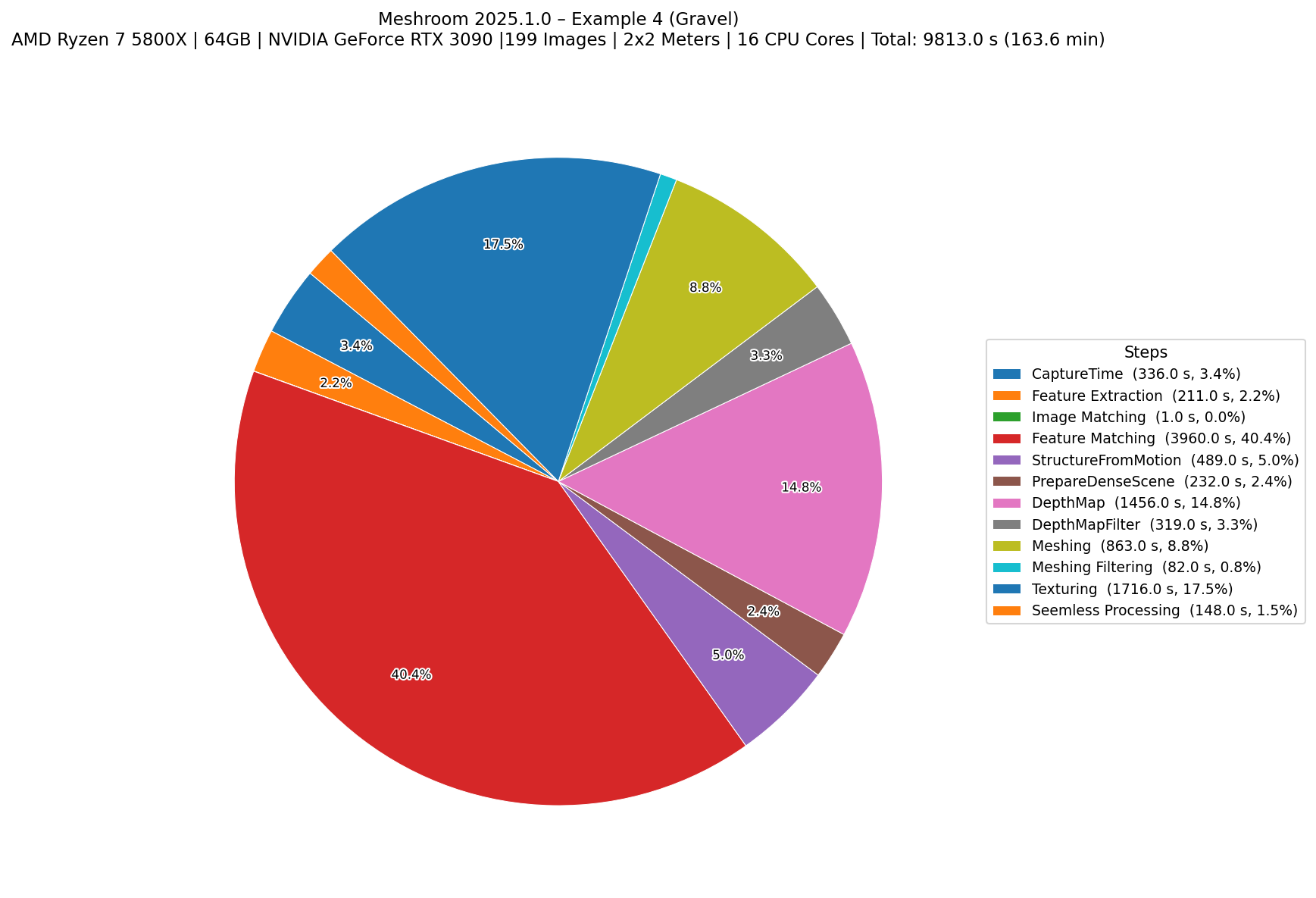
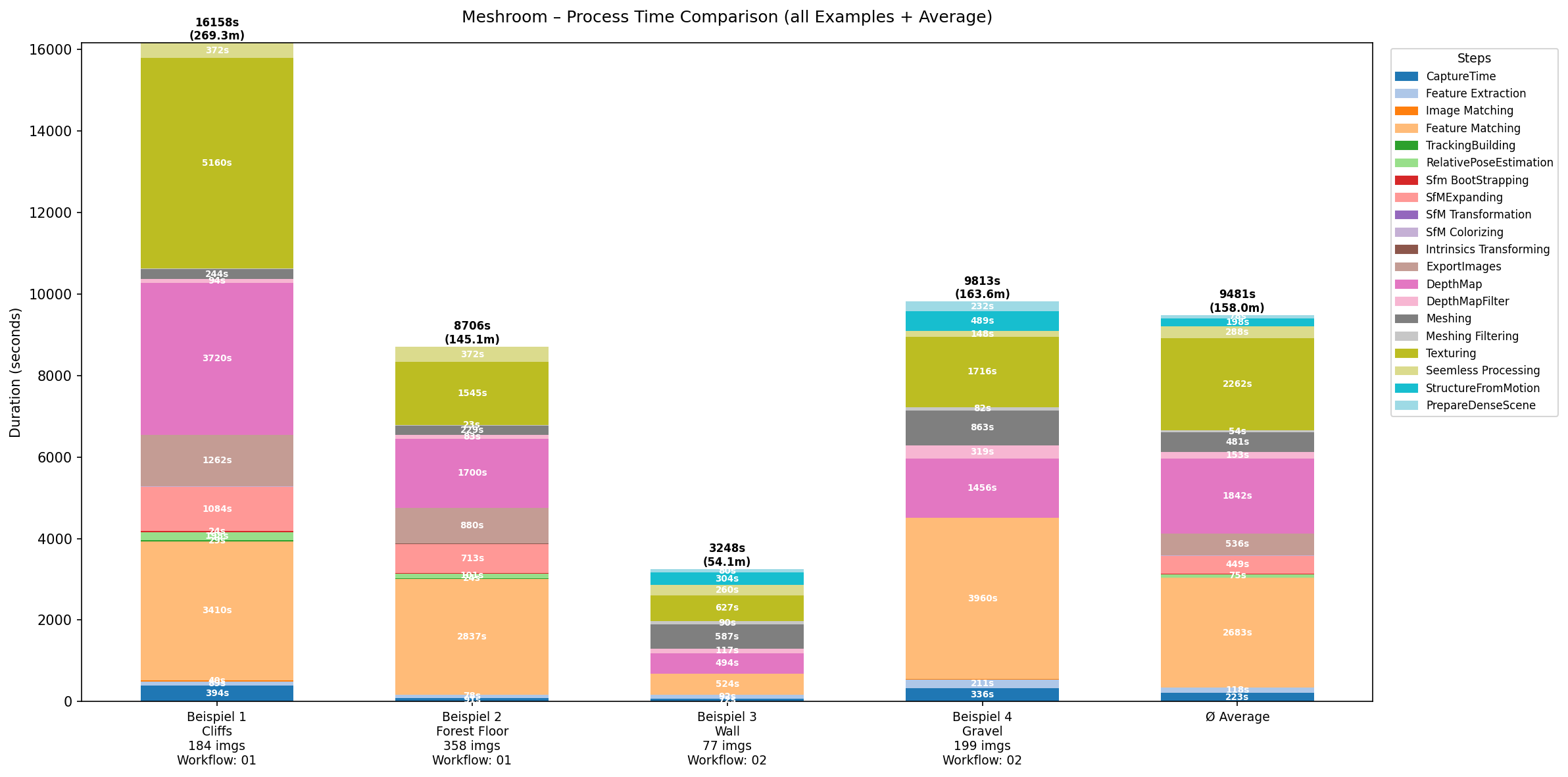
MeshroomRyzen 7 5800x, 64GB RAM, NVIDIA RTX 3090~158 Minutes
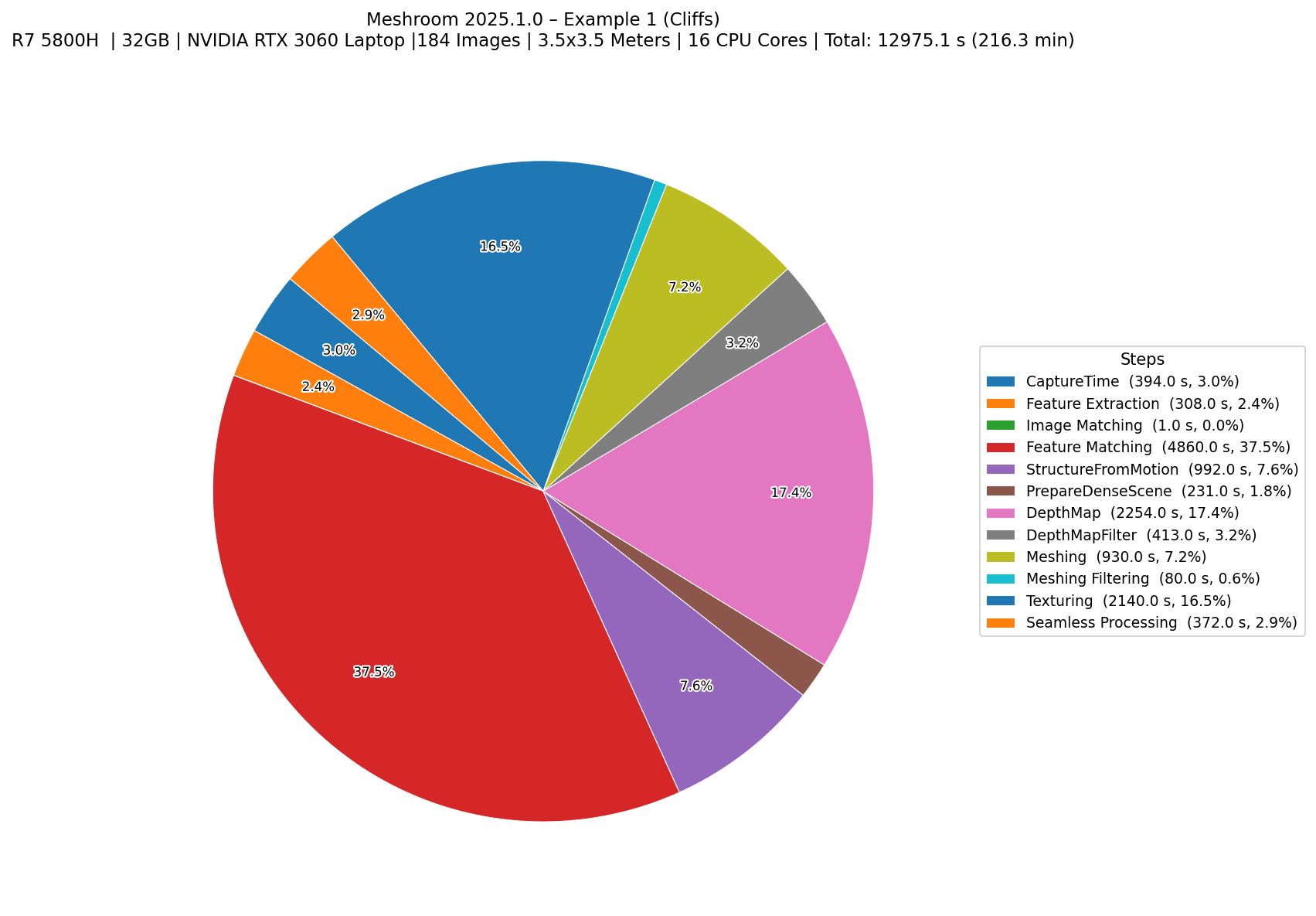
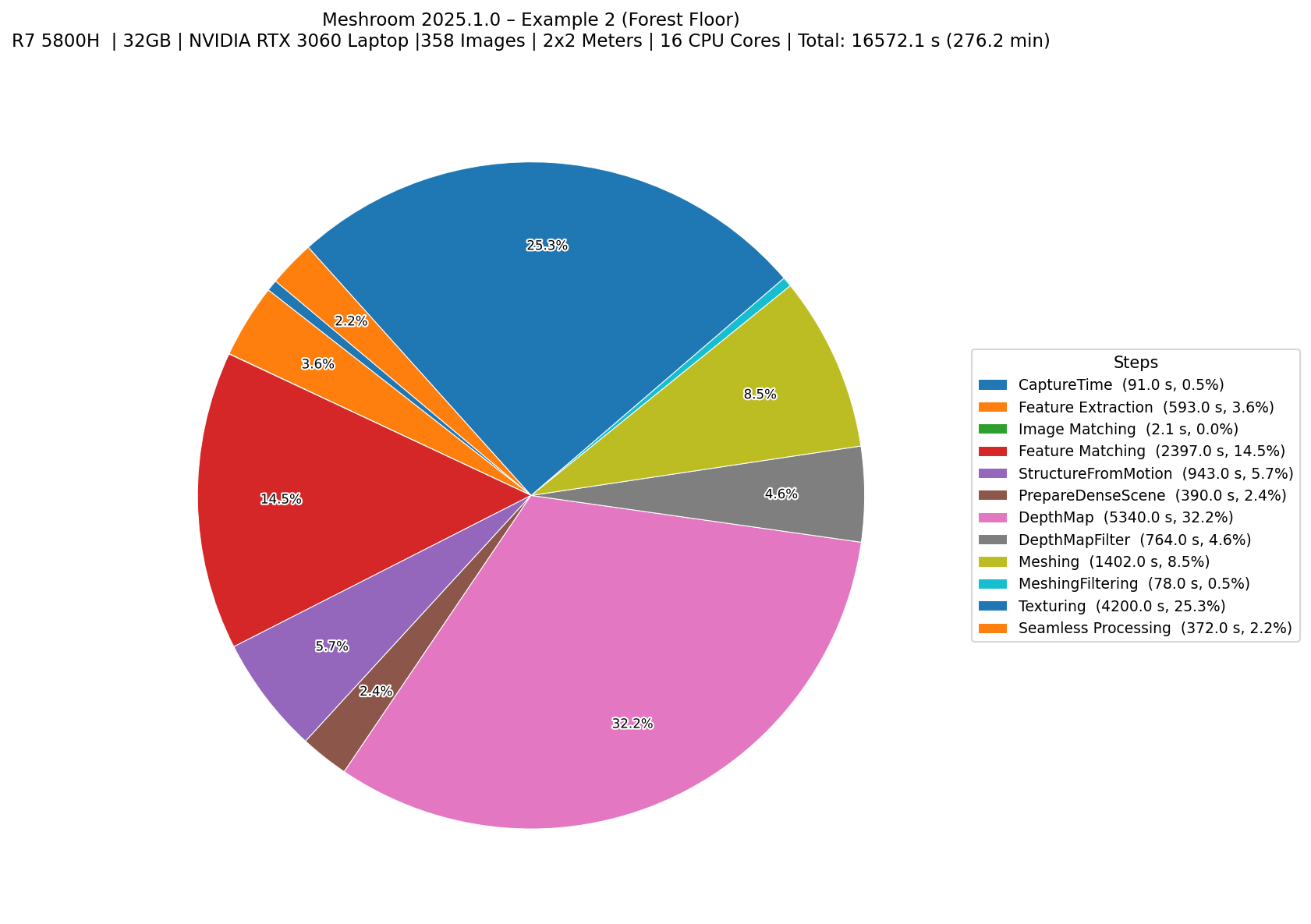
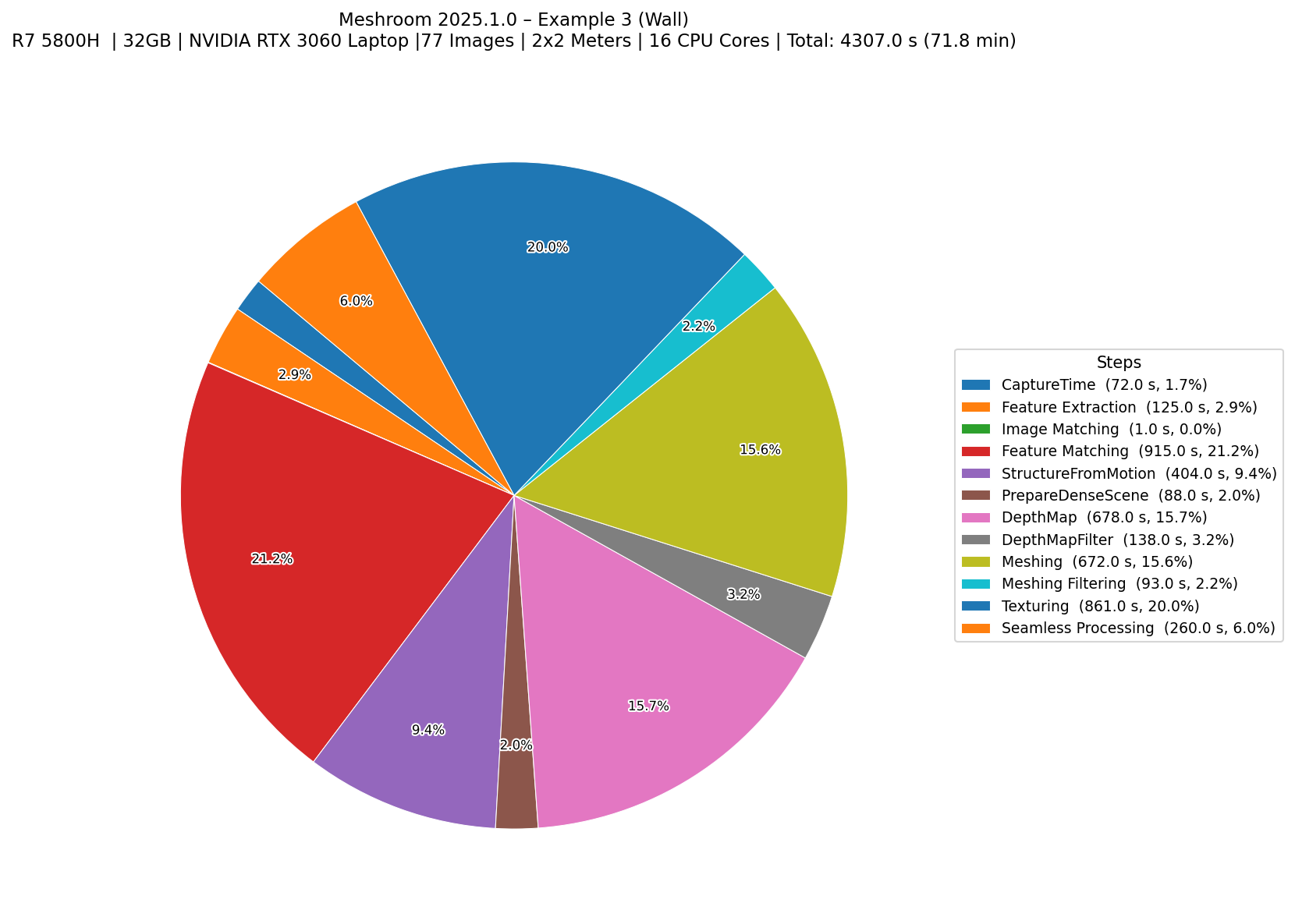
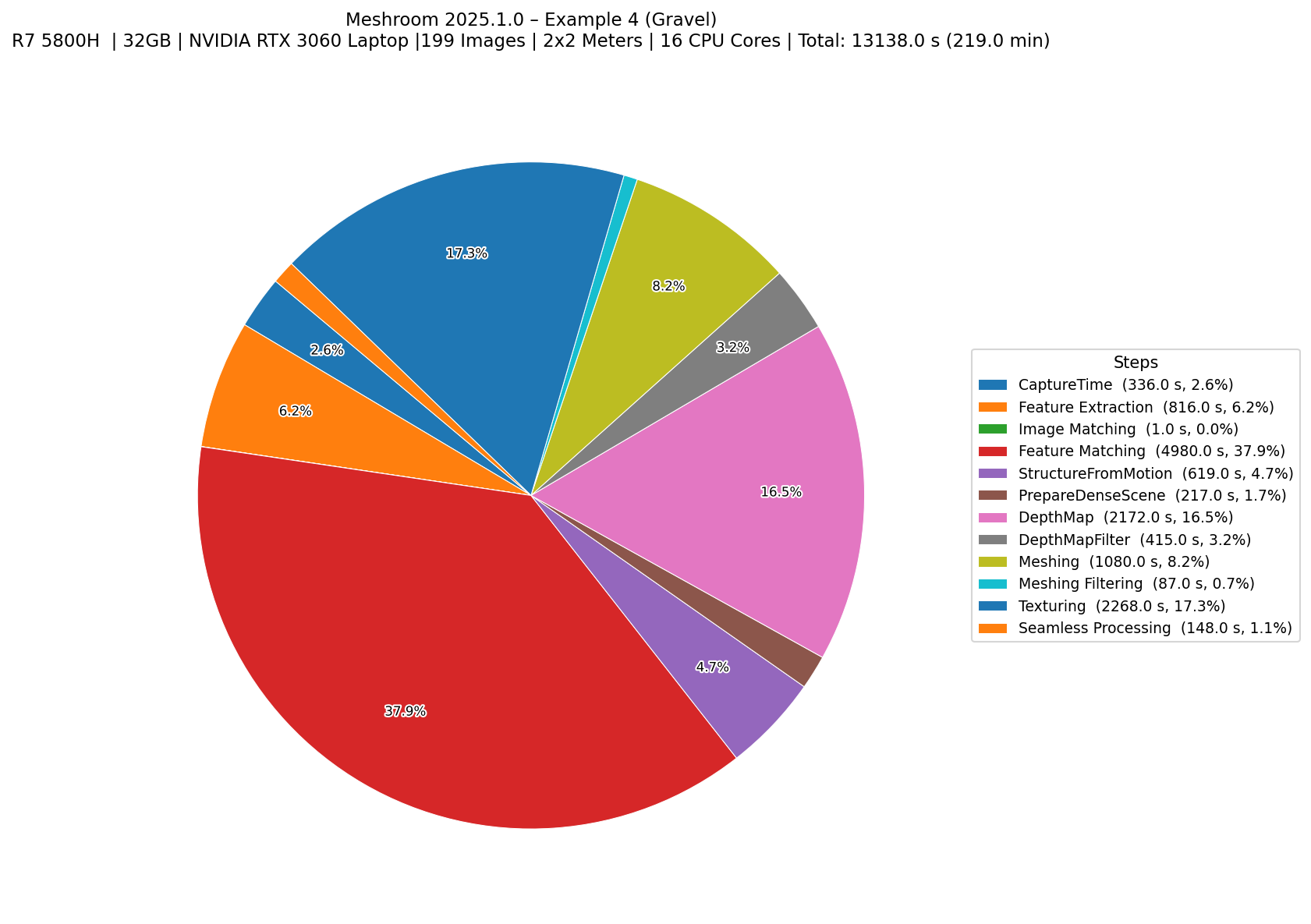
MeshroomRyzen 7 5800H Laptop, 32GB RAM, NVIDIA RTX 3060~195 Minutes
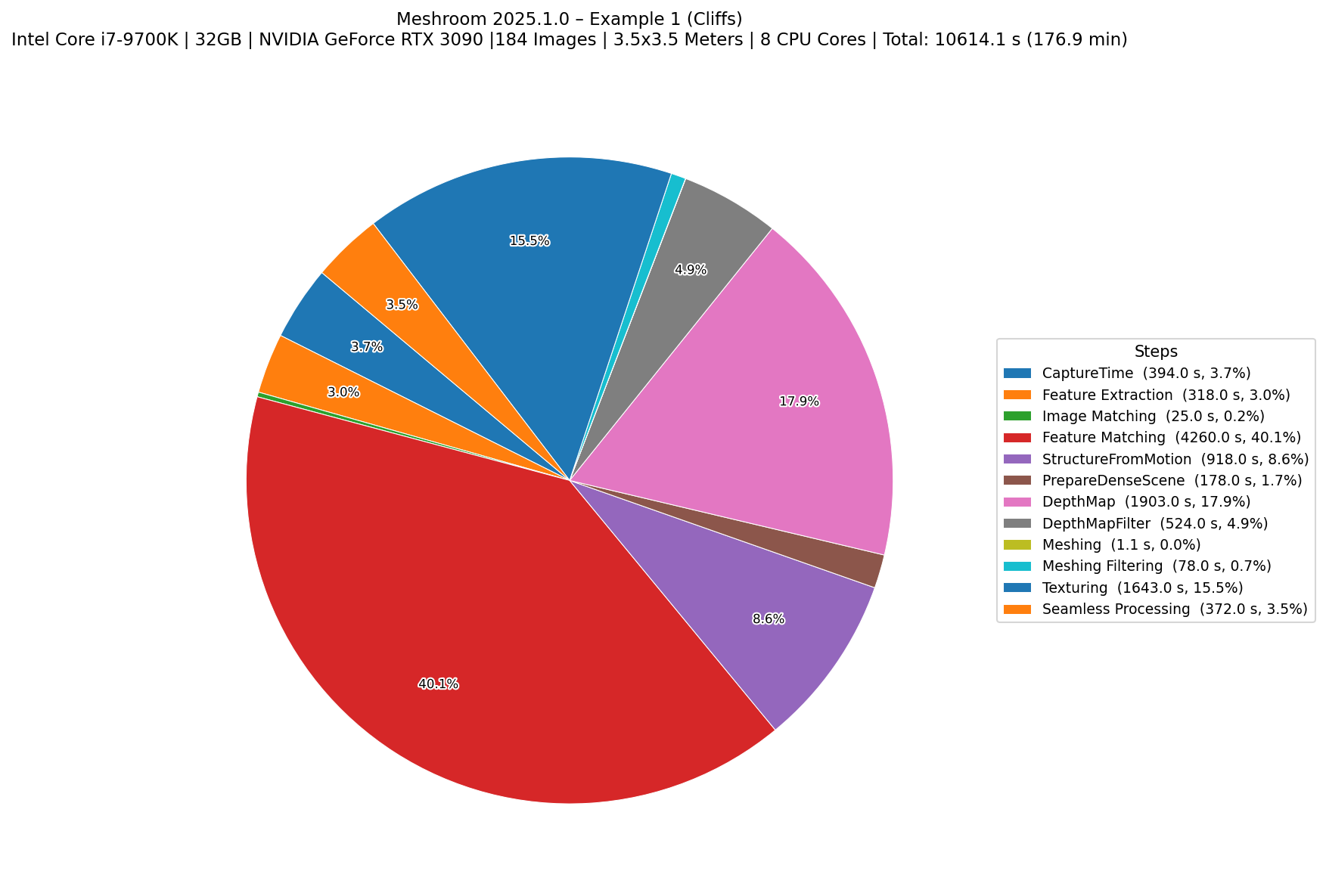
MeshroomIntel Core i7 9700k, 32GB ,NVIDIA RTX 3090~235 Minutes
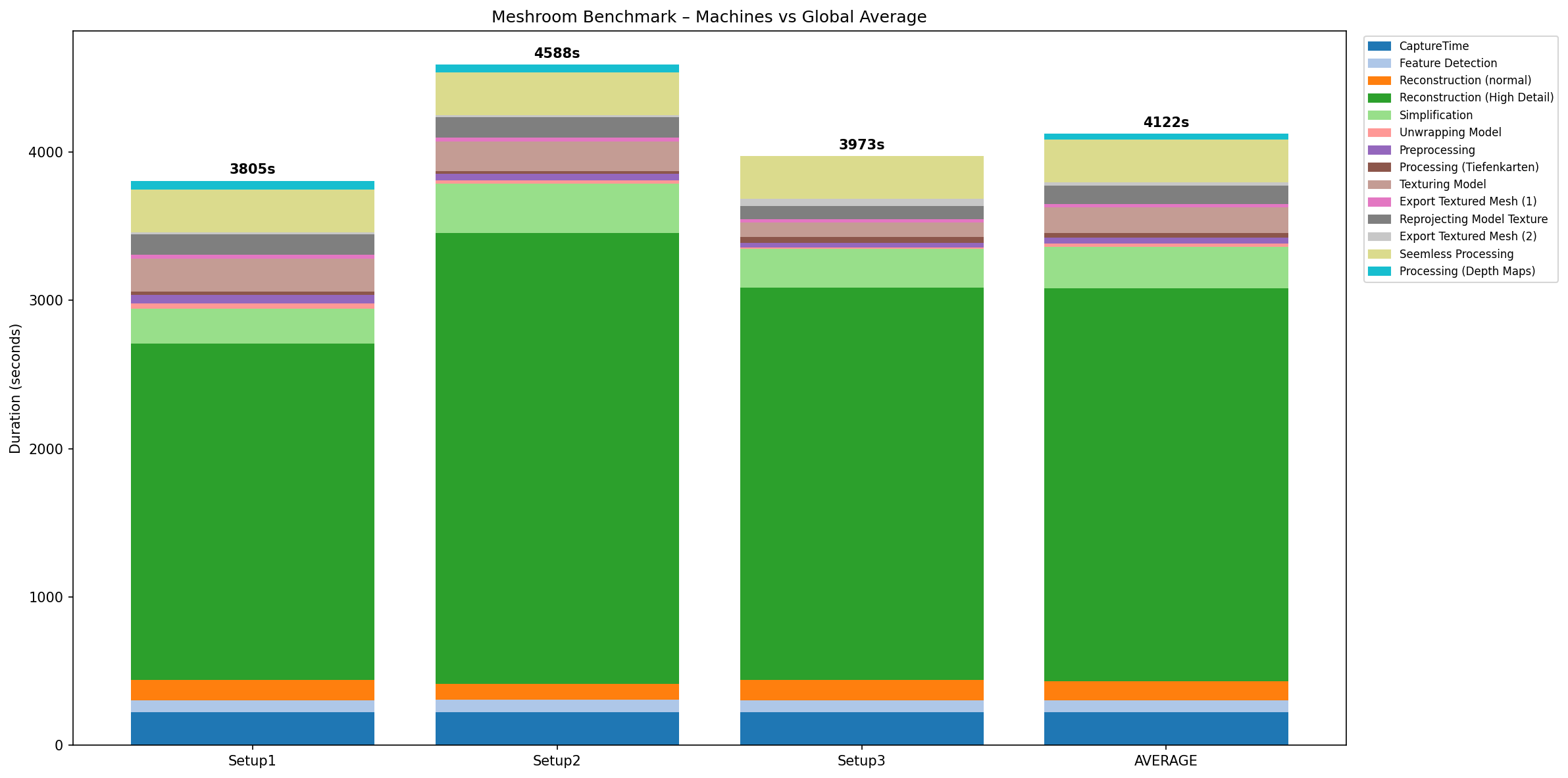
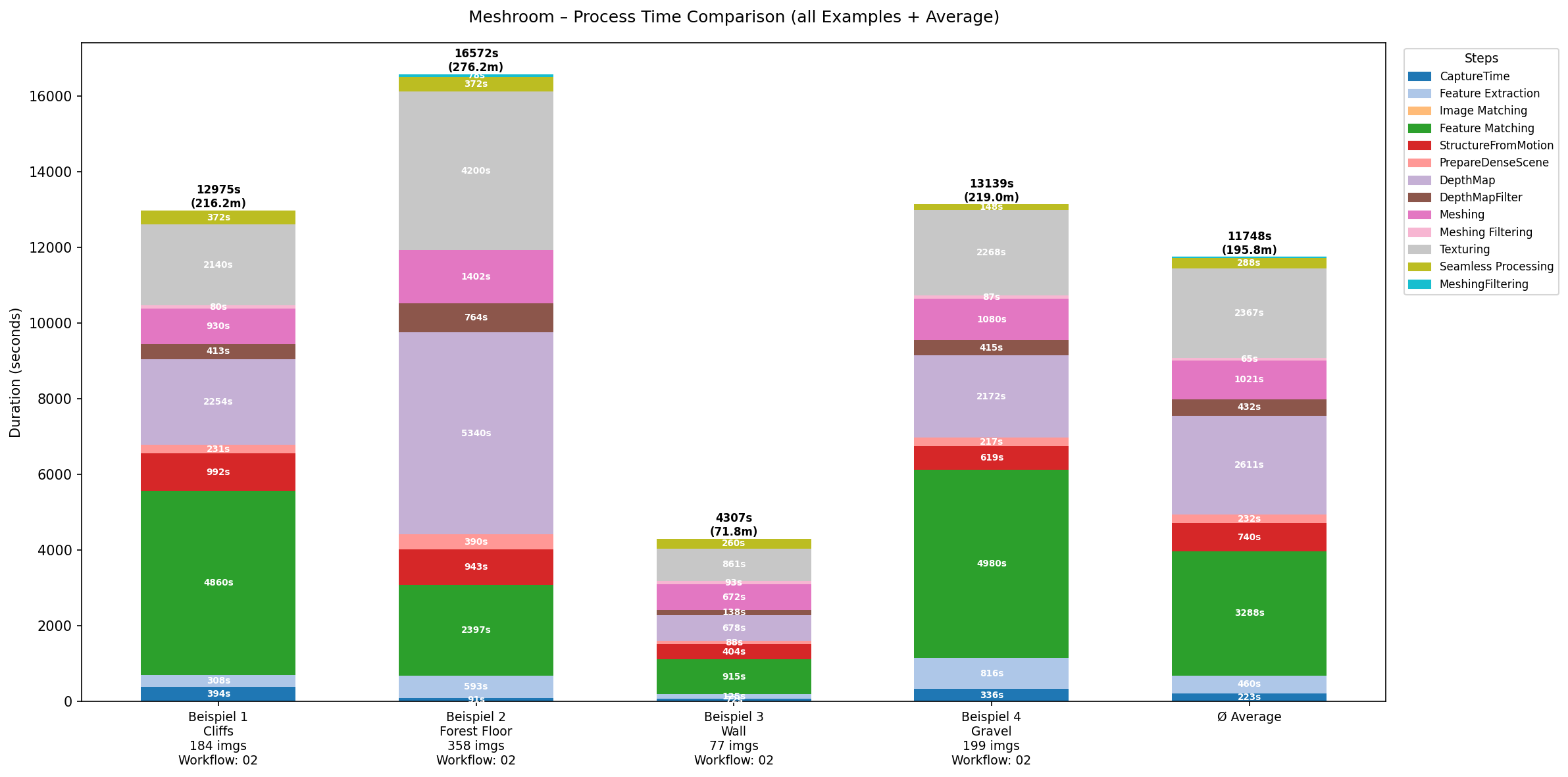
Meshroom Average/~197 Minutes

1. Reality Capture

Benchmark graphs for Reality Capture:

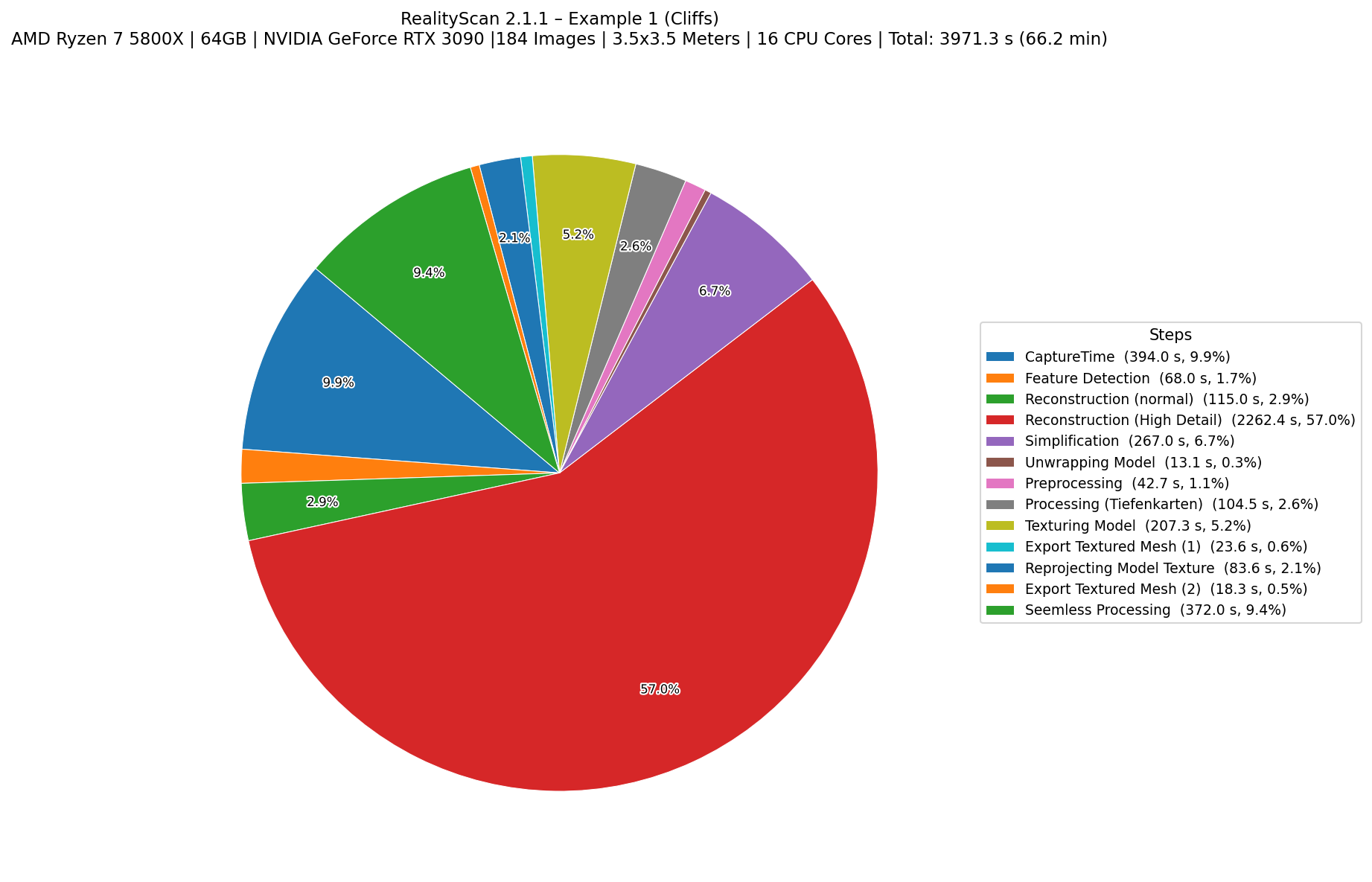
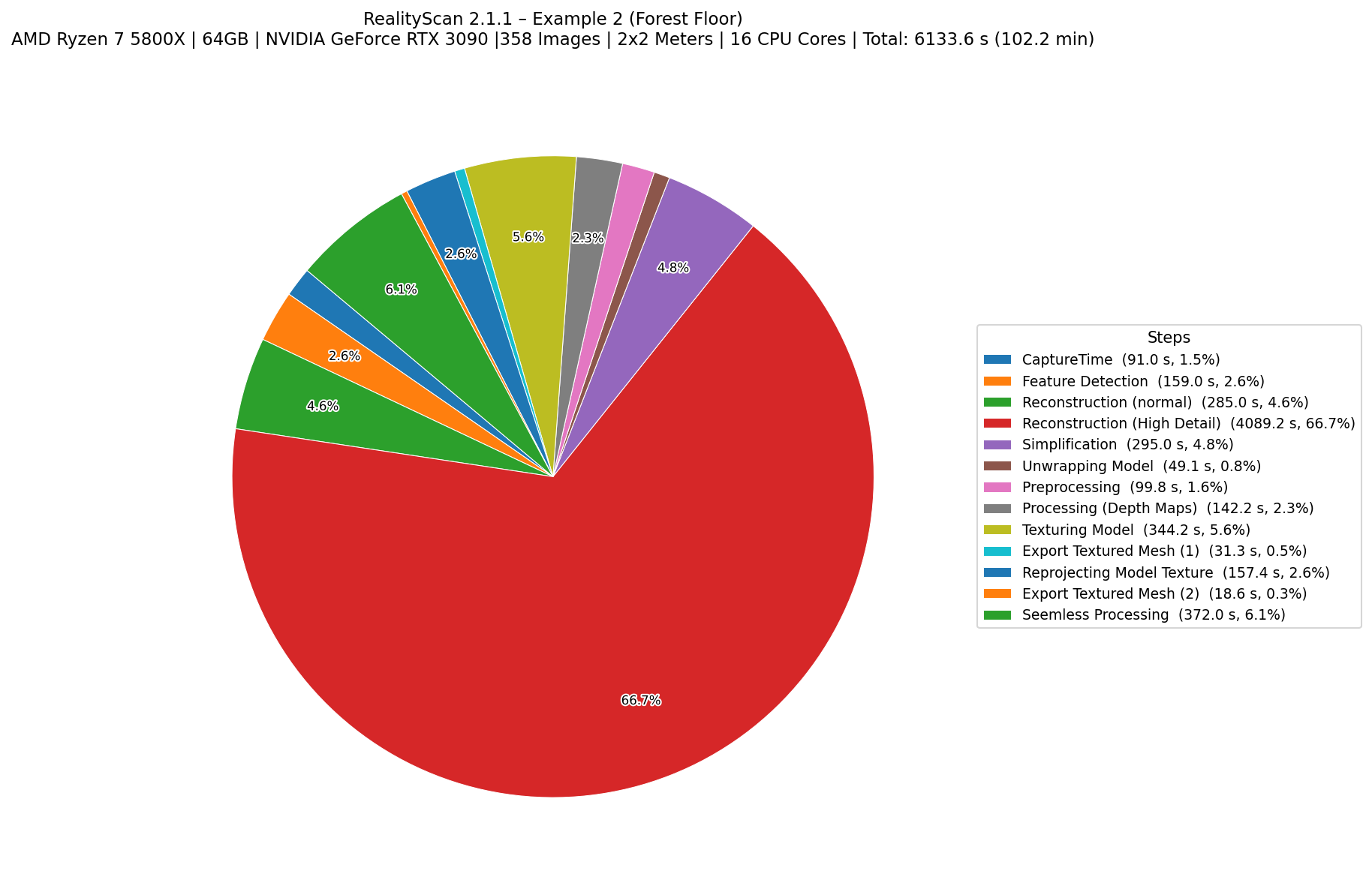
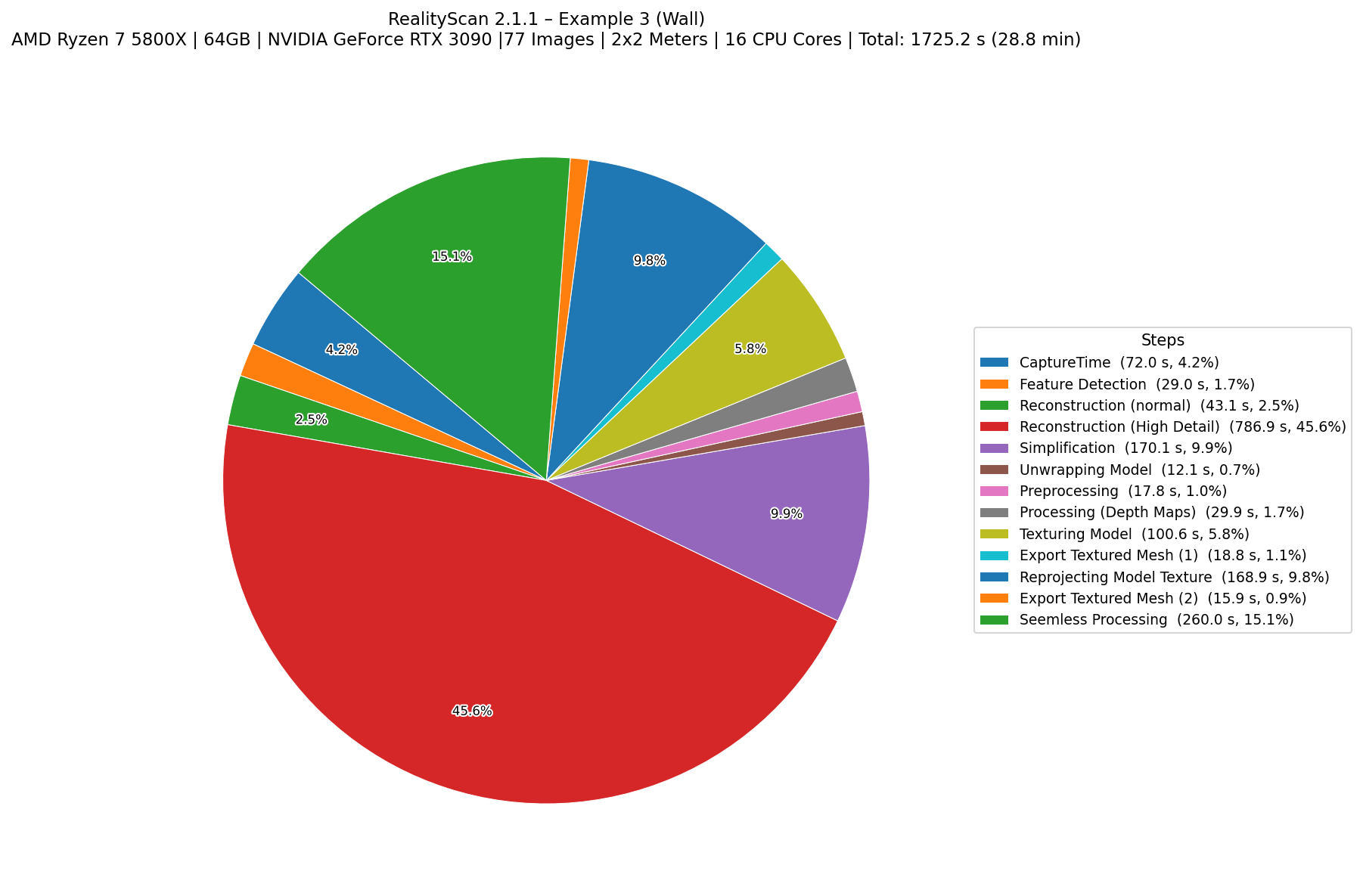
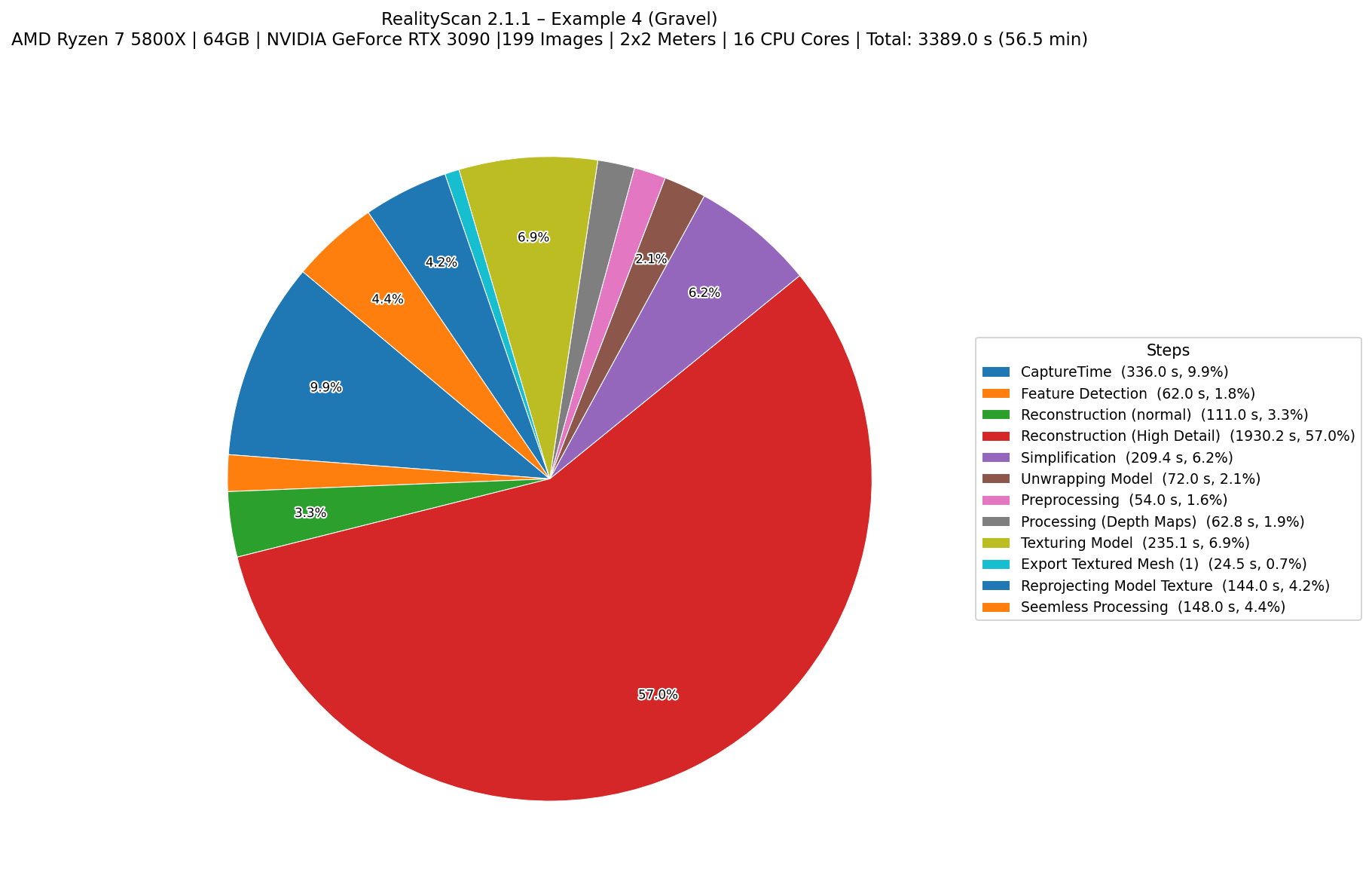
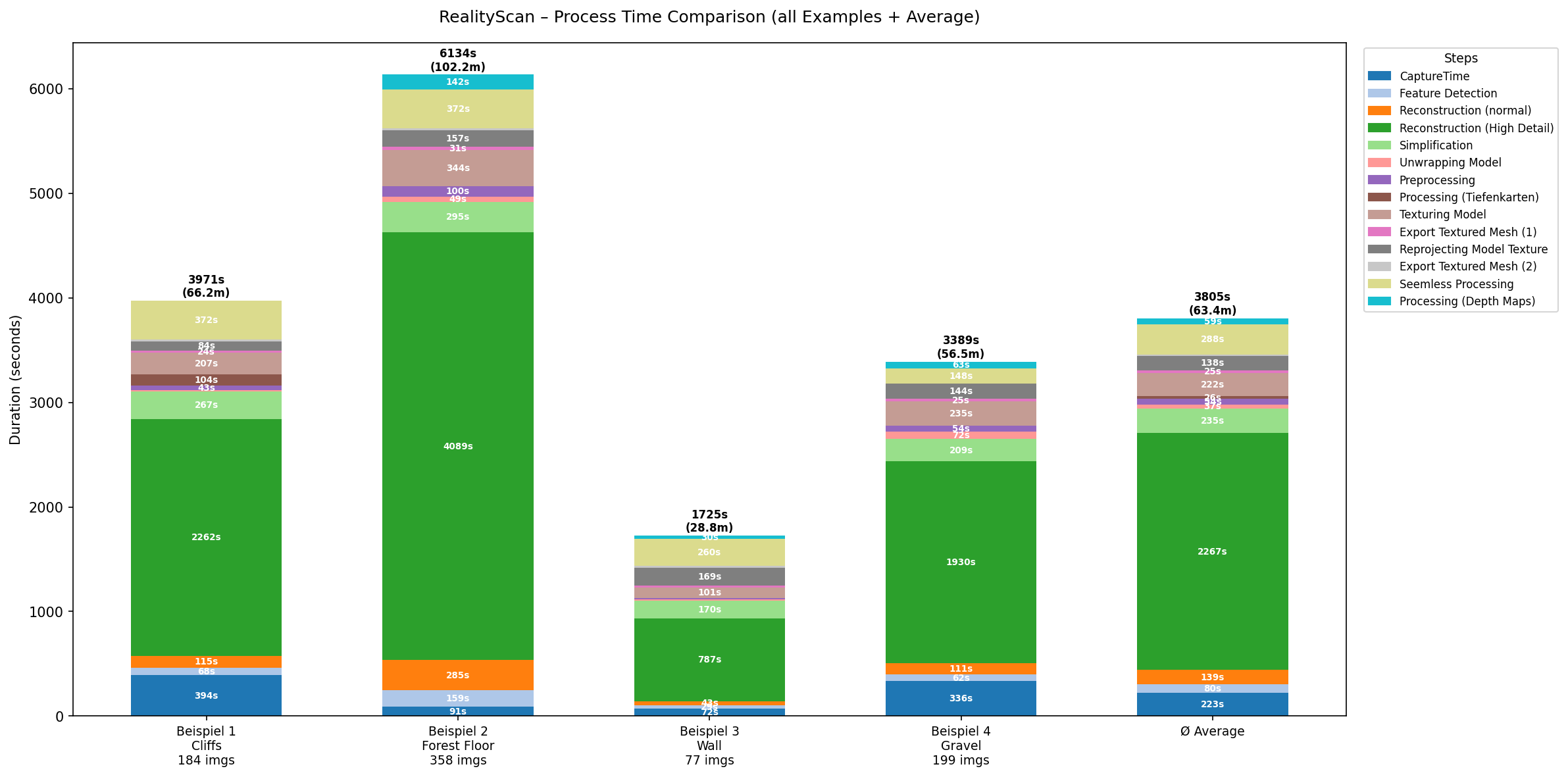
Setup 01: Ryzen 7 5800x, 64GB RAM, NVIDIA RTX 3090
Example 1 Photogrammetry processing time comparison graph
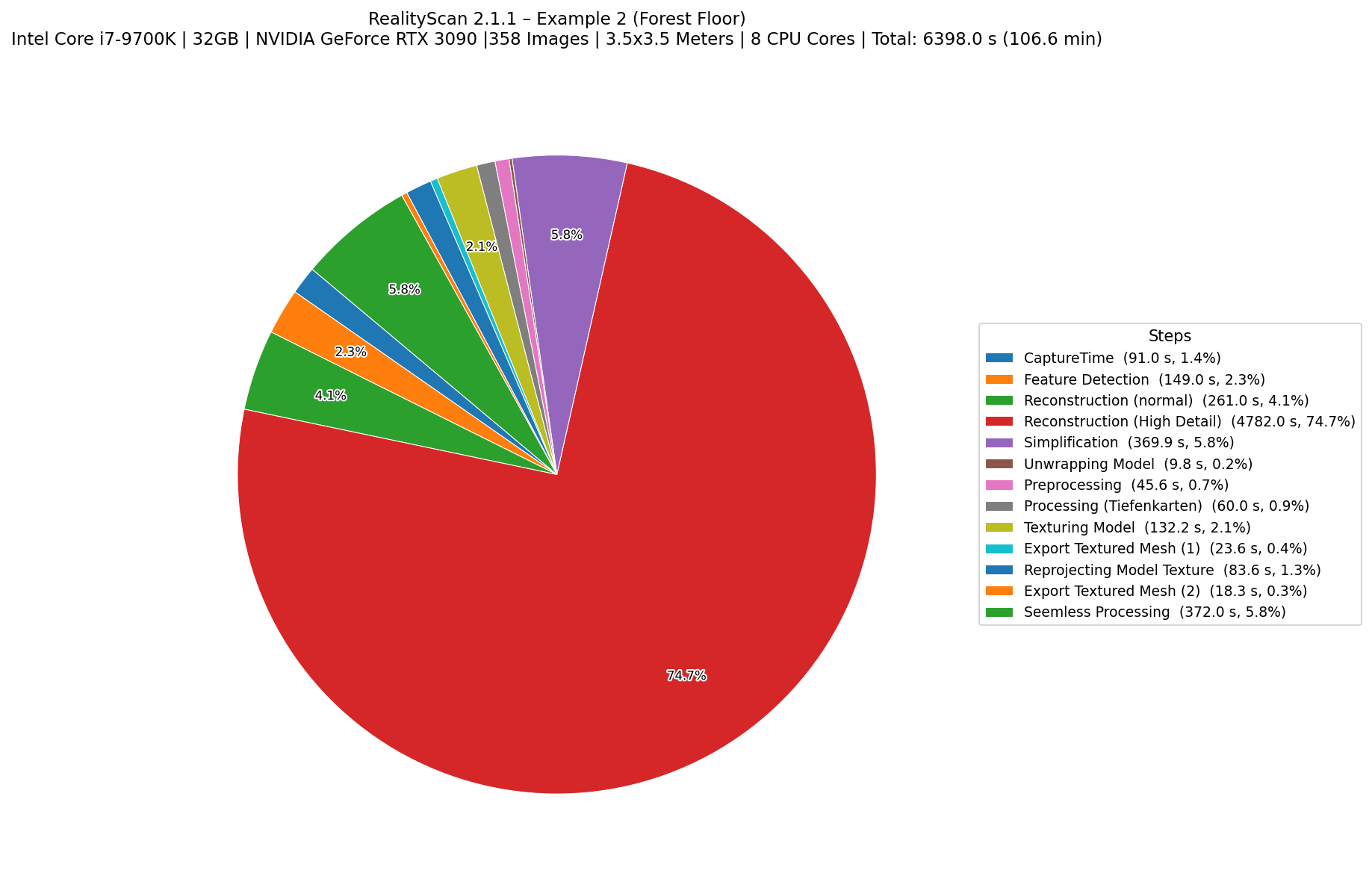
Example 2 Photogrammetry processing time comparison graph
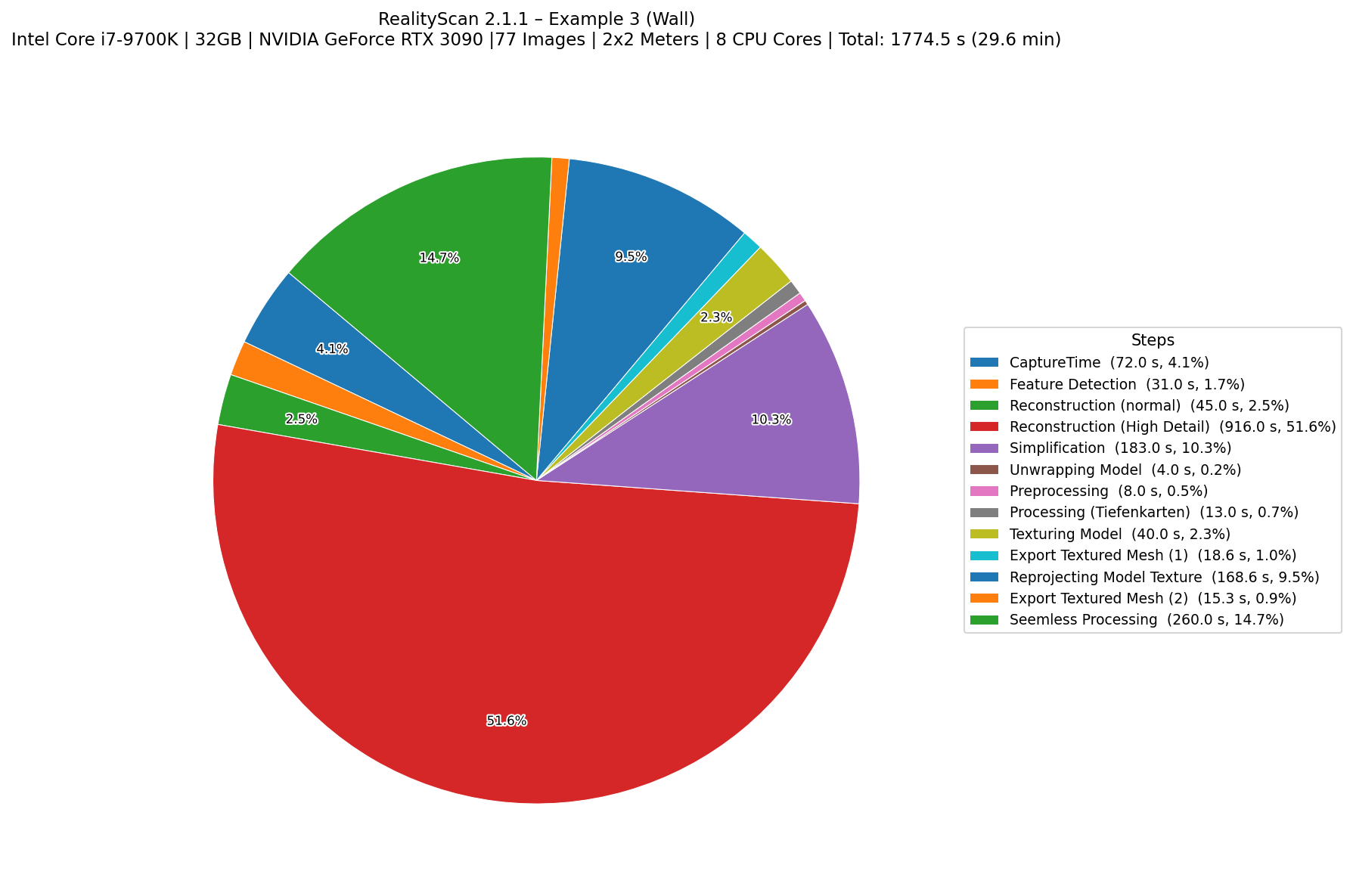
Example 3 Photogrammetry processing time comparison graph
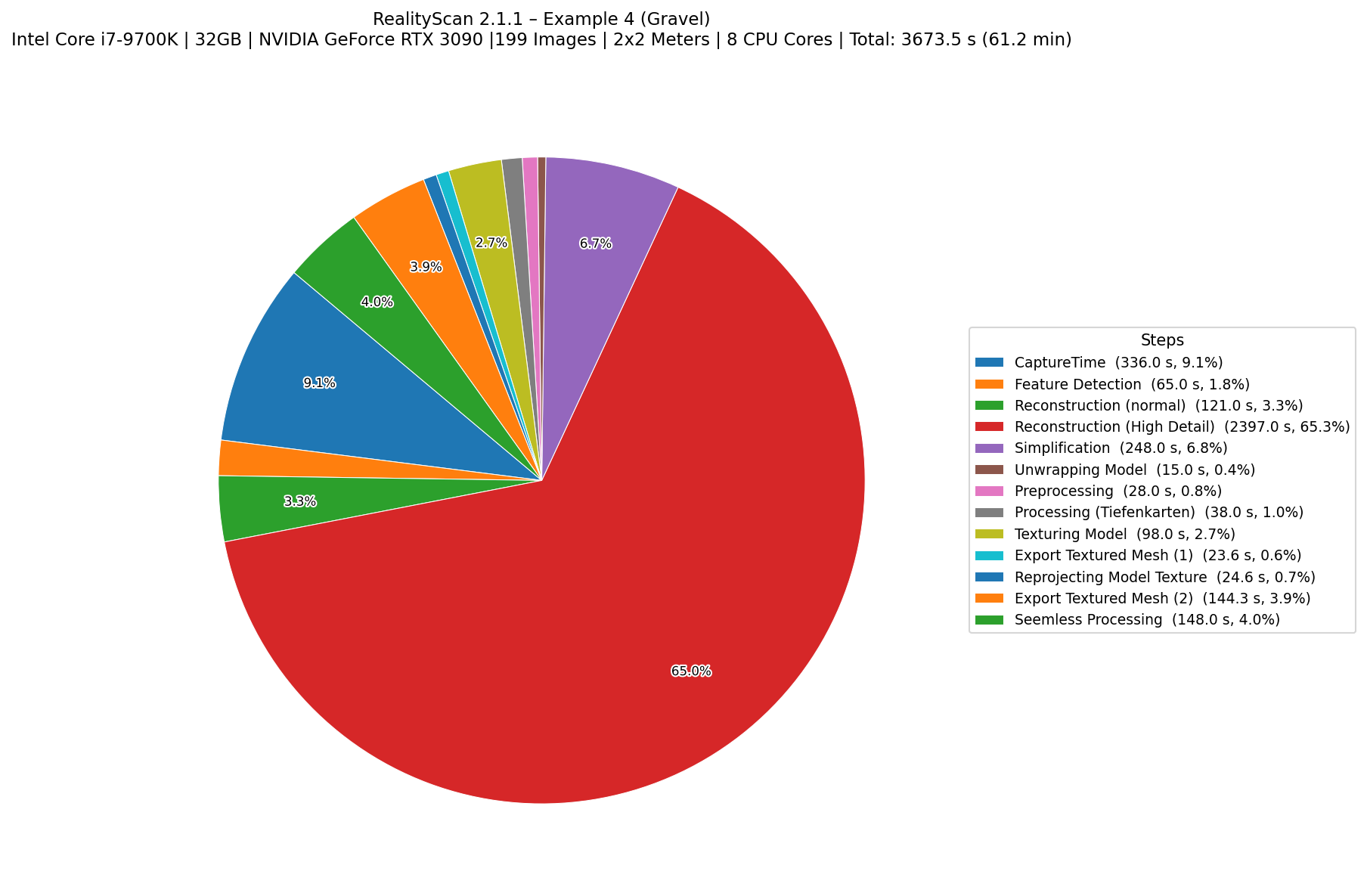
Example 4 Photogrammetry processing time comparison graph
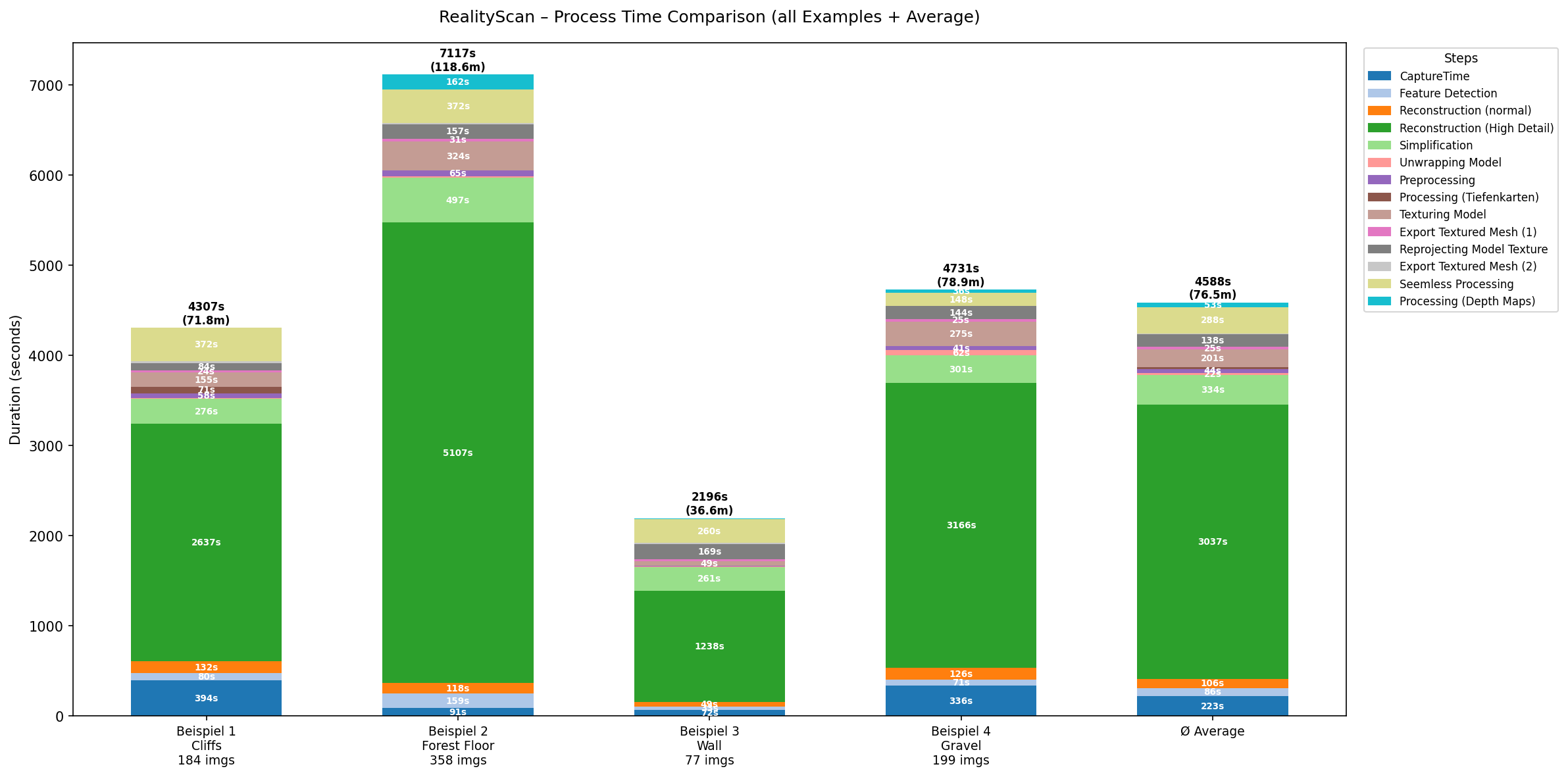
Overall Comparison Photogrammetry processing time comparison graph
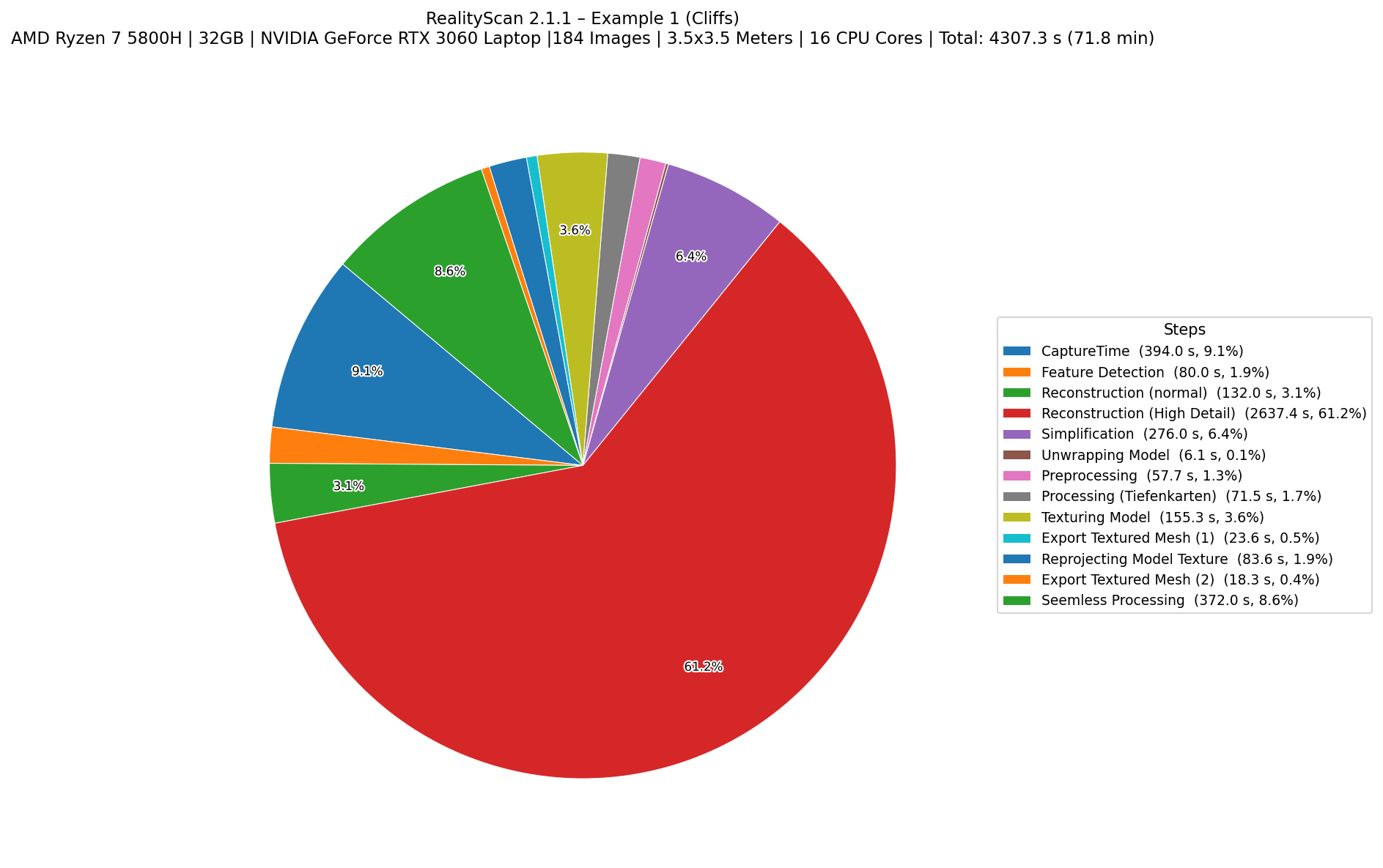
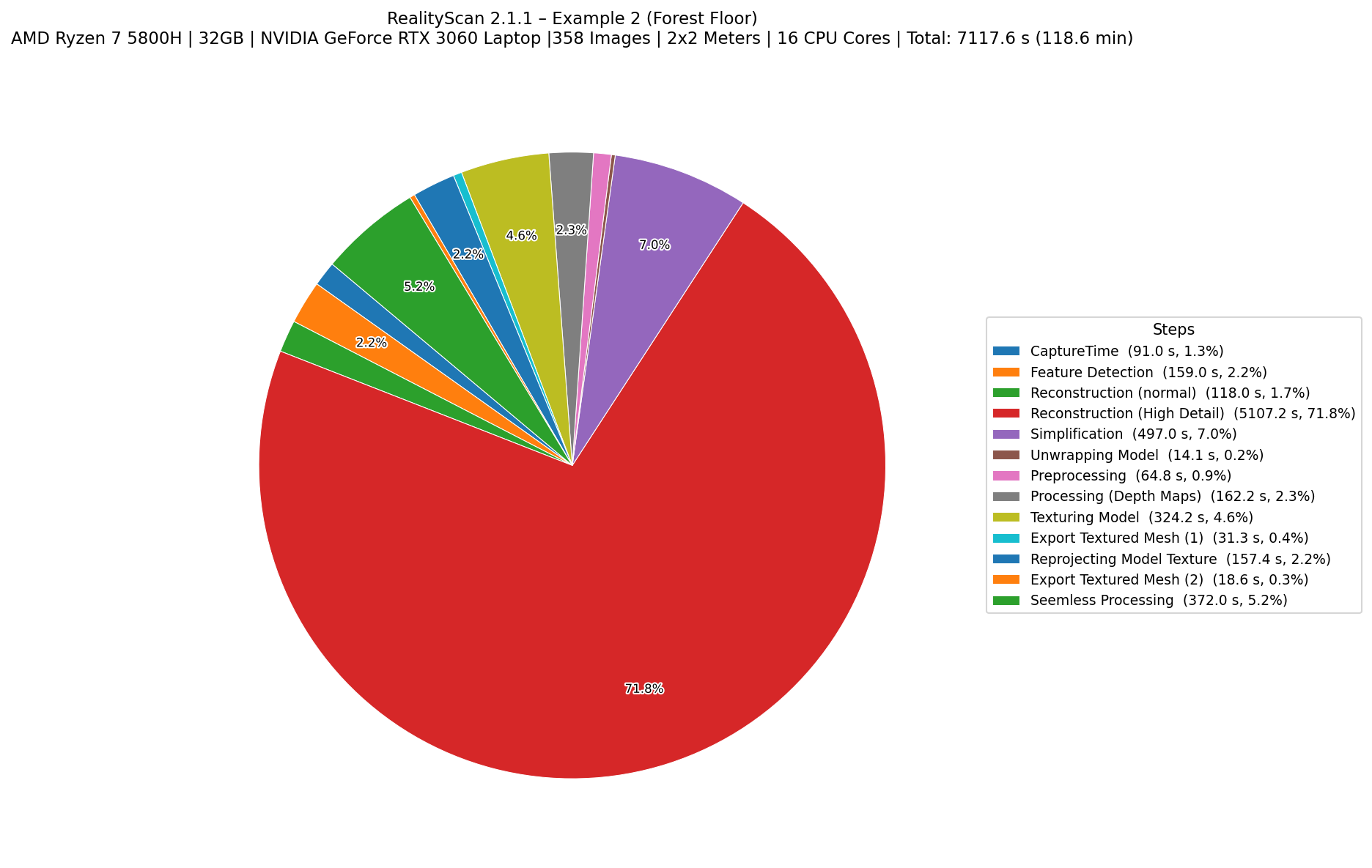
Setup 02: Ryzen 7 5800H Laptop, 32GB RAM, NVIDIA RTX 3060
Example 1 Photogrammetry processing time comparison graph
Example 2 Photogrammetry processing time comparison graph
Example 3 Photogrammetry processing time comparison graph
Example 4 Photogrammetry processing time comparison graph
Overall Comparison Photogrammetry processing time comparison graph
Setup 03: Intel Core i7 9700k, 32GB ,NVIDIA RTX 3090
Example 1 Photogrammetry processing time comparison graph
Example 2 Photogrammetry processing time comparison graph
Example 3 Photogrammetry processing time comparison graph
Example 4 Photogrammetry processing time comparison graph
Overall Comparison Photogrammetry processing time comparison graph

All Reality Capture Avarage processing times with diffrent Hardware Setups:

Photogrammetry processing time comparison graph

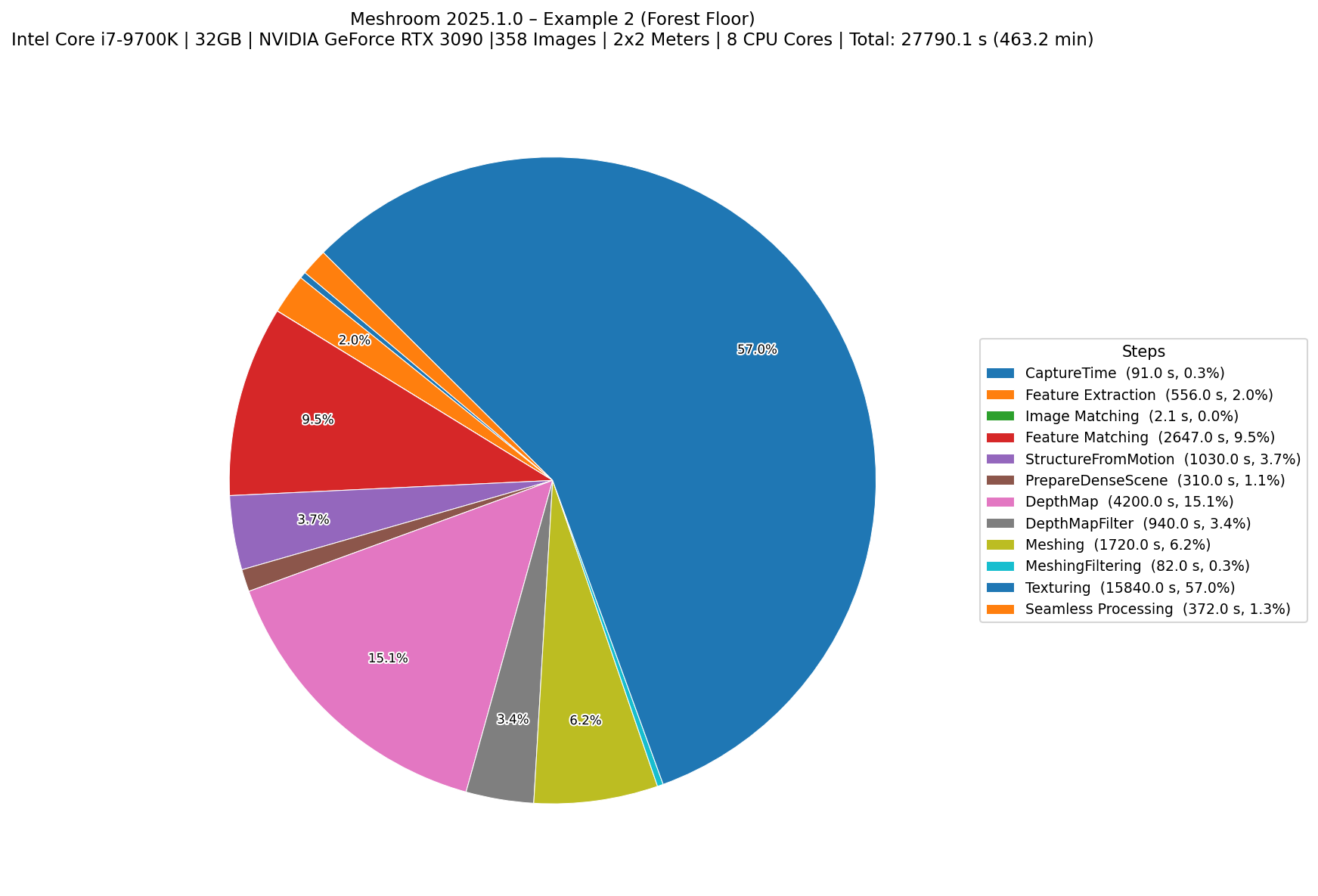
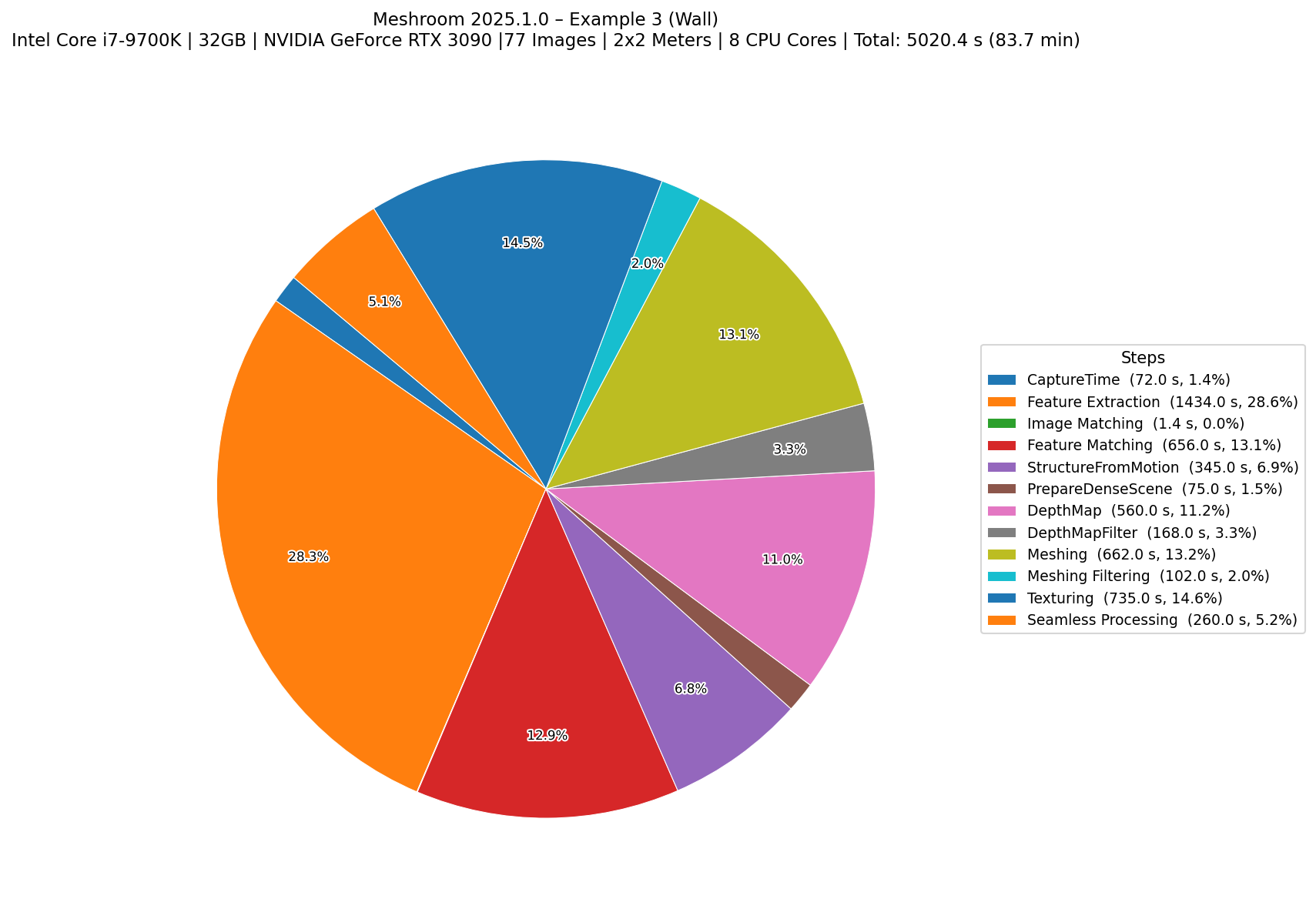
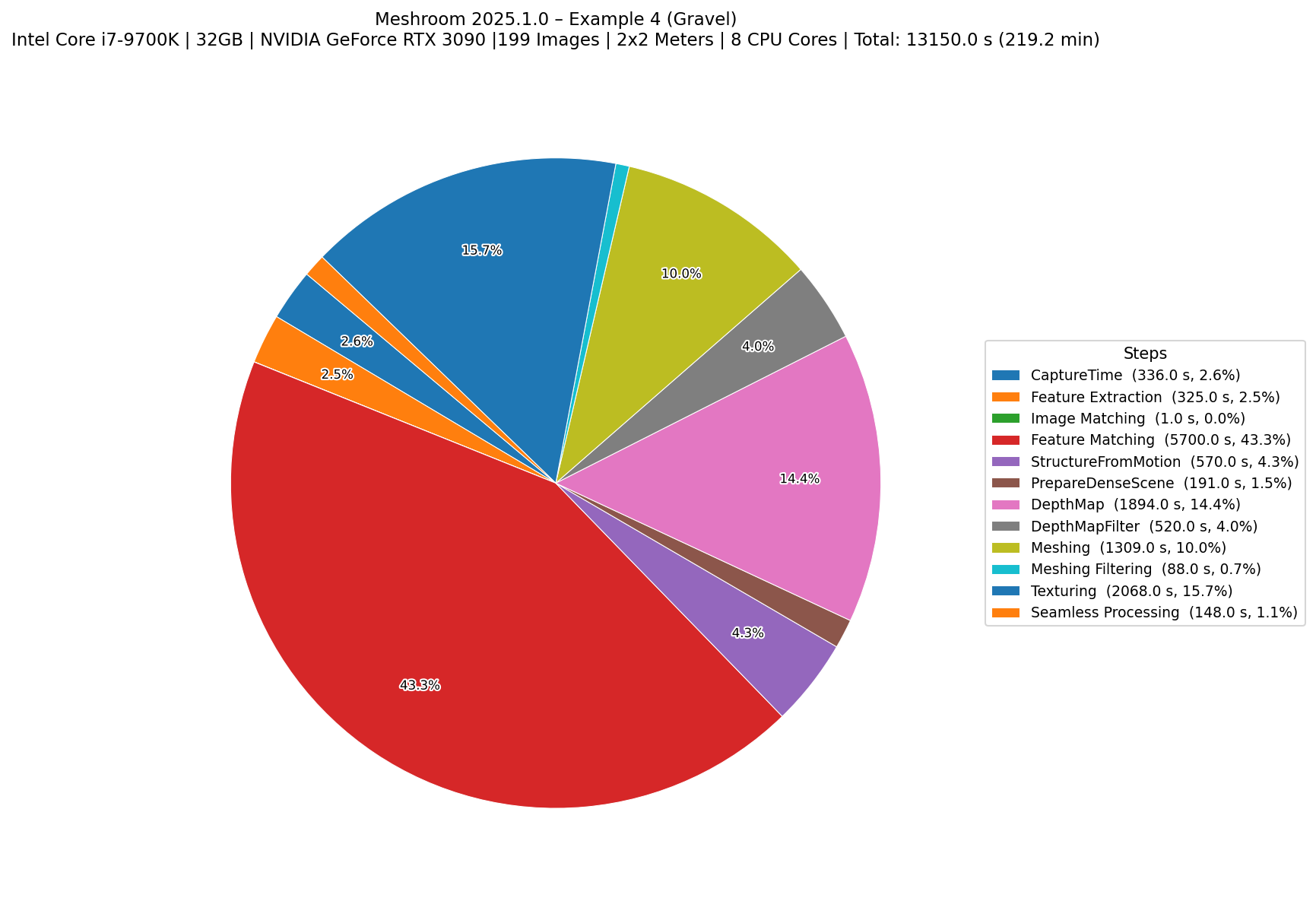
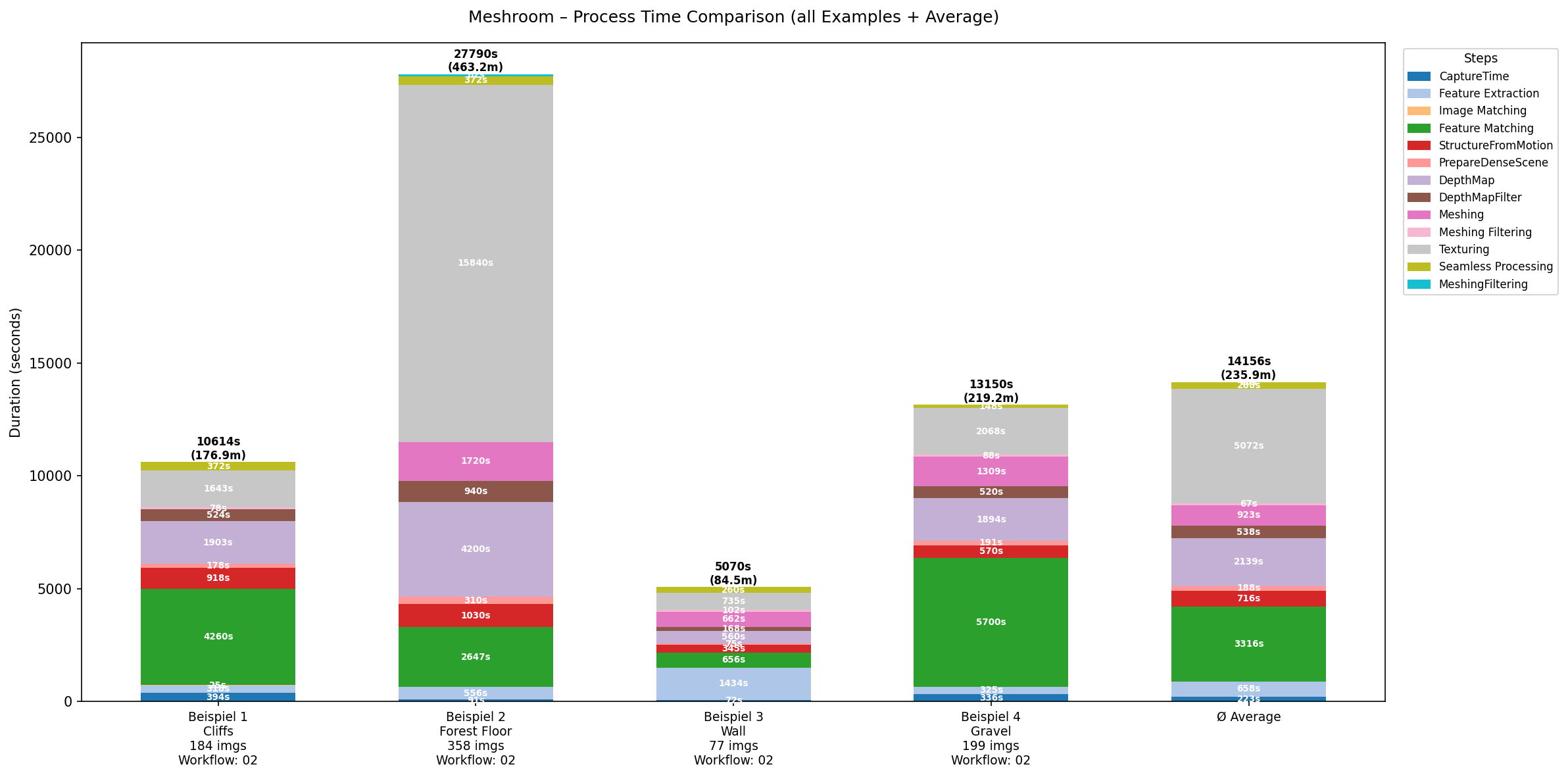
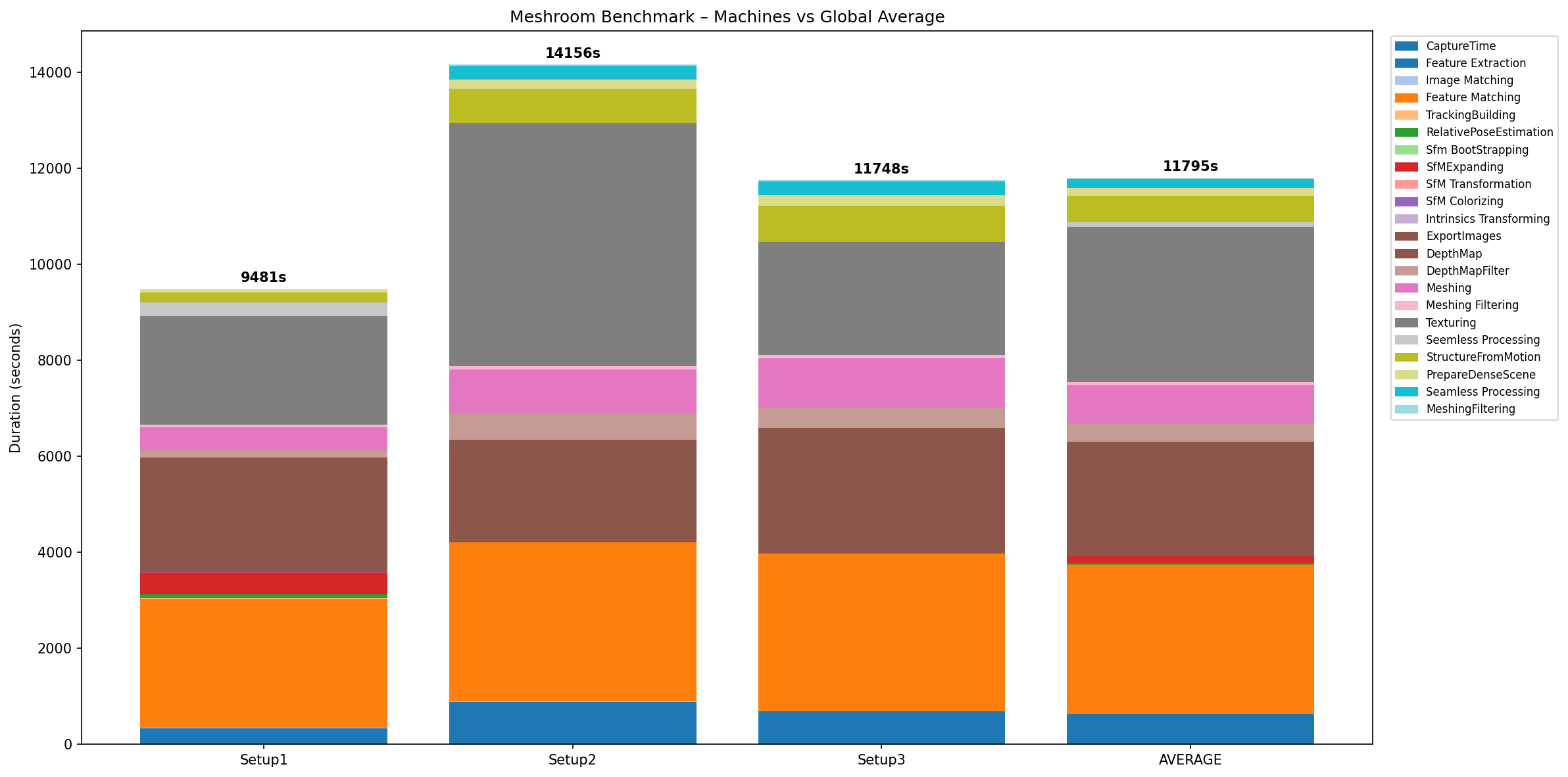
2. Meshroom

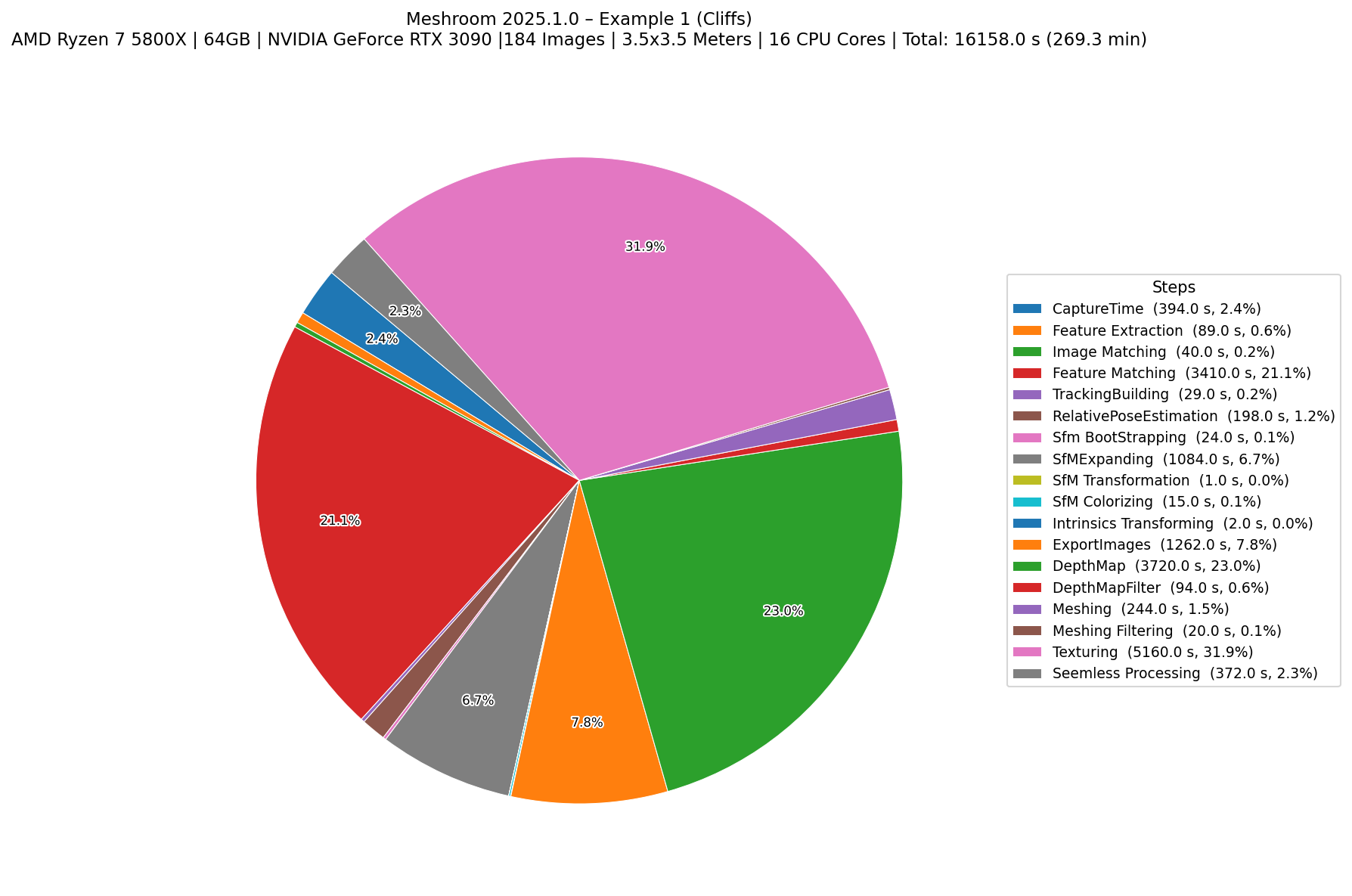
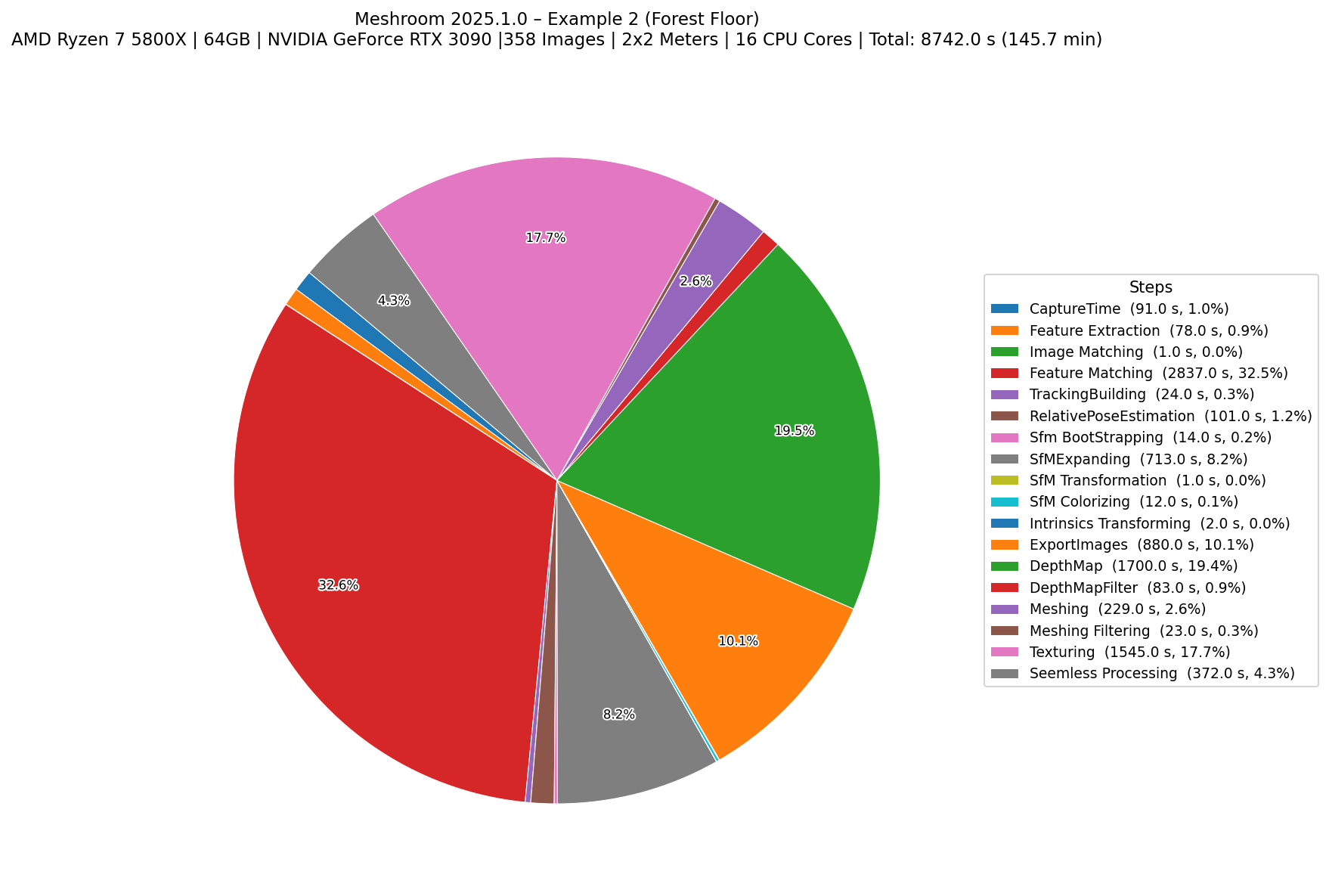
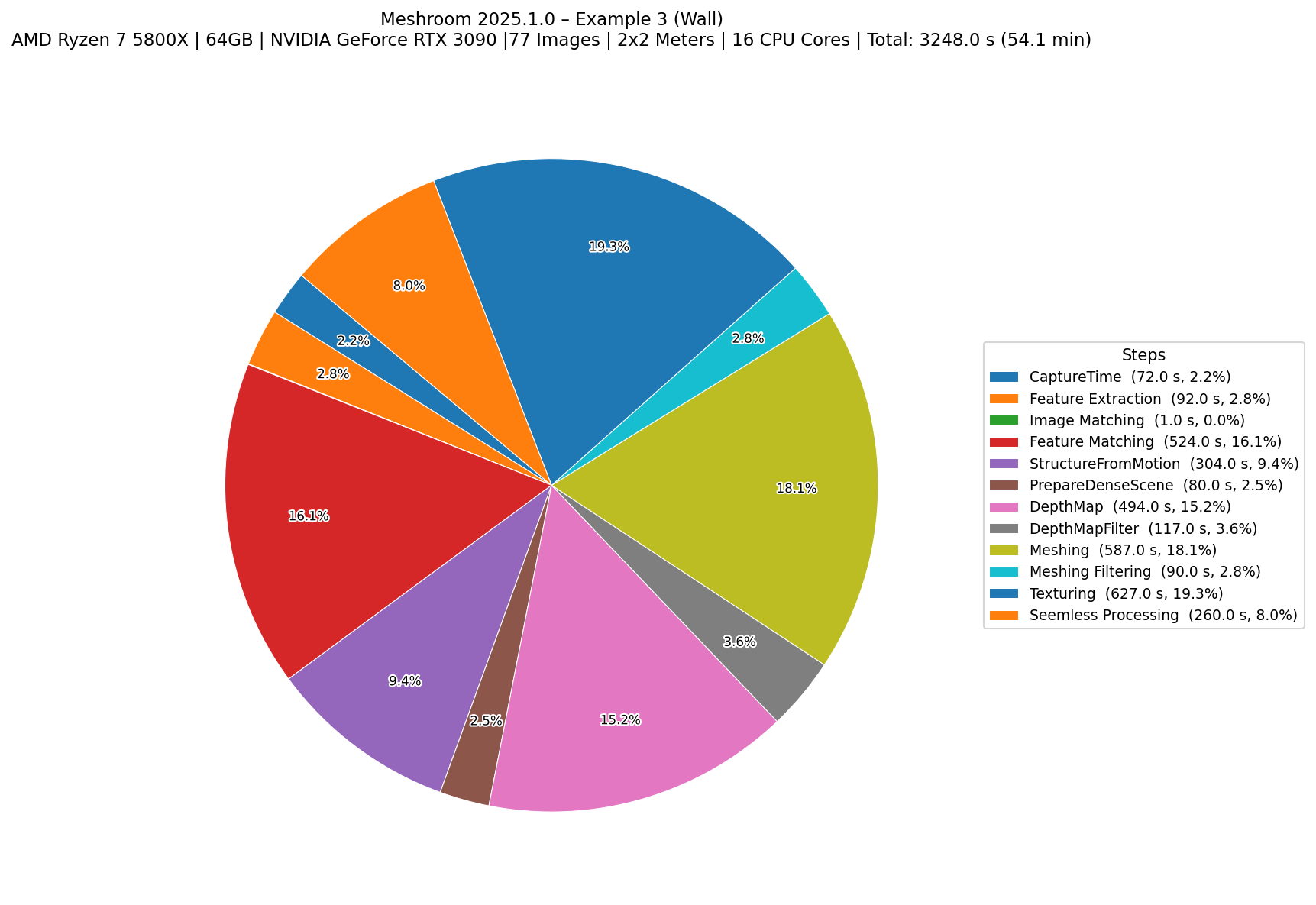
Benchmark graphs for Meshroom:

Setup 01: Ryzen 7 5800x, 64GB RAM, NVIDIA RTX 3090
Example 1 Photogrammetry processing time comparison graph
Example 2 Photogrammetry processing time comparison graph
Example 3 Photogrammetry processing time comparison graph
Example 4 Photogrammetry processing time comparison graph
Overall Comparison Photogrammetry processing time comparison graph
Setup 02: R7 5800H , 32GB RAM, NVIDIA RTX 3060 Laptop
Example 1 Photogrammetry processing time comparison graph
Example 2 Photogrammetry processing time comparison graph
Example 3 Photogrammetry processing time comparison graph
Example 4 Photogrammetry processing time comparison graph
Overall Comparison Photogrammetry processing time comparison graph
Setup 03: Intel 7 9700x, 32GB RAM, NVIDIA RTX 3090
Example 1 Photogrammetry processing time comparison graph
Example 2 Photogrammetry processing time comparison graph
Example 3 Photogrammetry processing time comparison graph
Example 4 Photogrammetry processing time comparison graph
Overall Comparison Photogrammetry processing time comparison graph
All Meshroom Benchmarks Photogrammetry processing time comparison graph

2. Total Average of all examples, Setups and Programs

Overall Comparison Photogrammetry processing time comparison graph Photogrammetry processing time comparison graph

2. Procedural Generation

Procedural generation uses algorithms to create textures and materials. This method is highly flexible, allowing artists to tweak parameters like color, roughness, and pattern density. It’s particularly useful for creating materials that need to be tileable or for generating variations quickly.

The downside is that it can be challenging to achieve photorealism, especially for complex surfaces. However, procedural tools like Substance Designer or Blender’s shader nodes can produce impressive results with enough skill and experimentation.

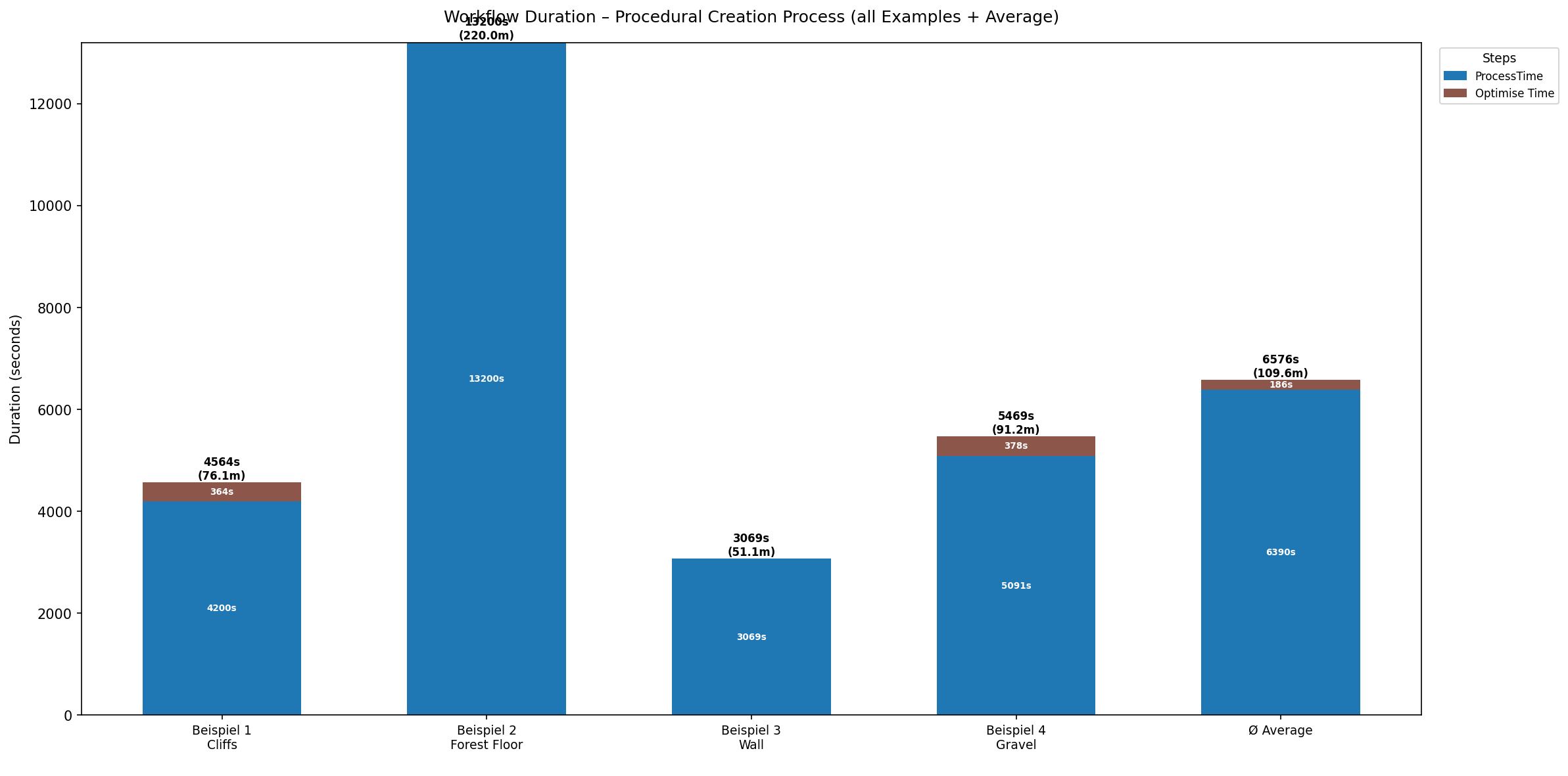
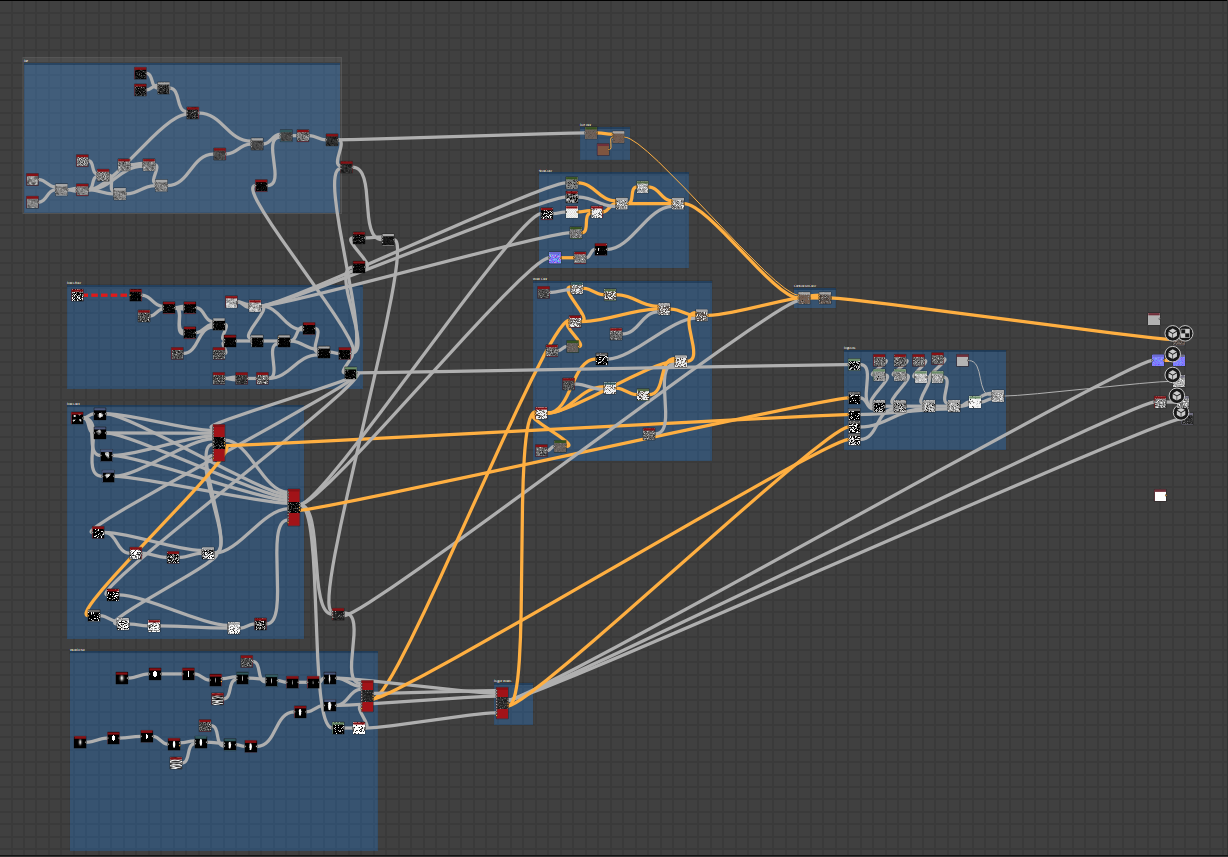
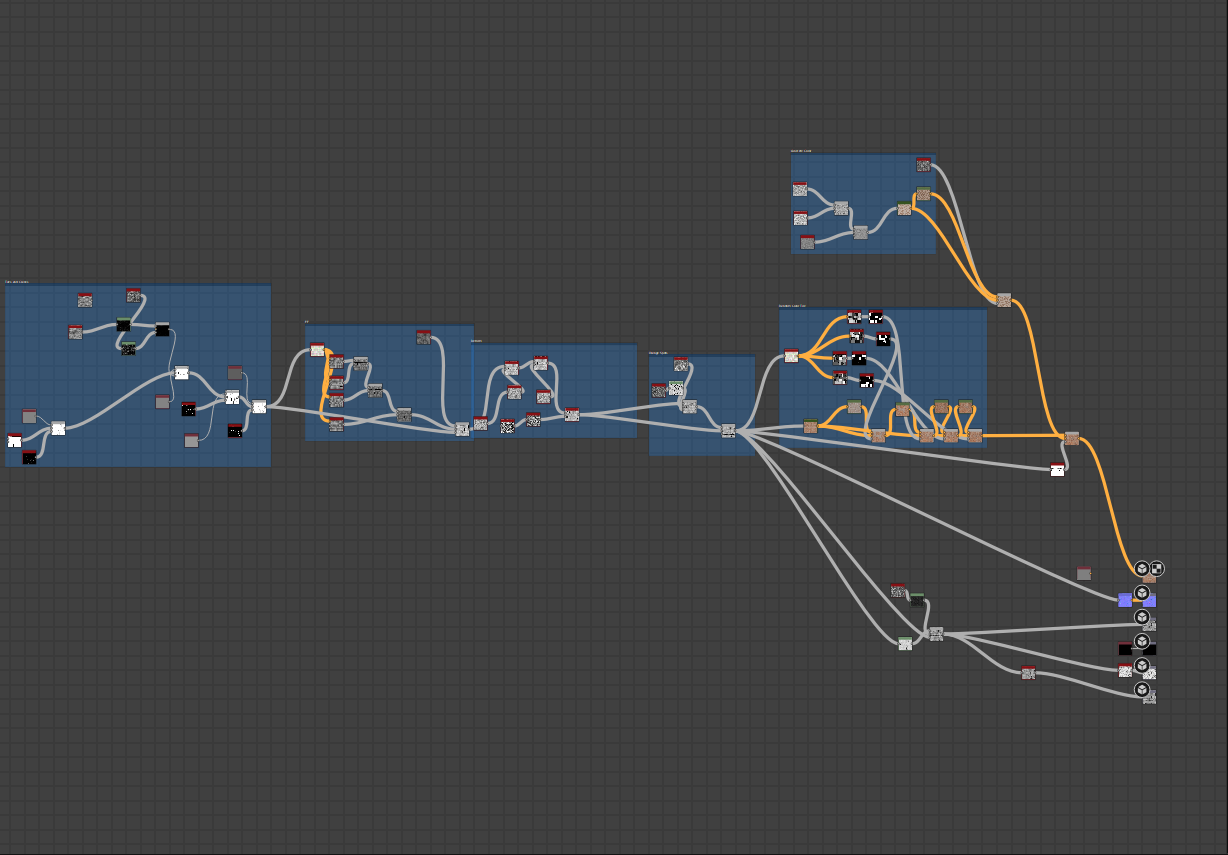
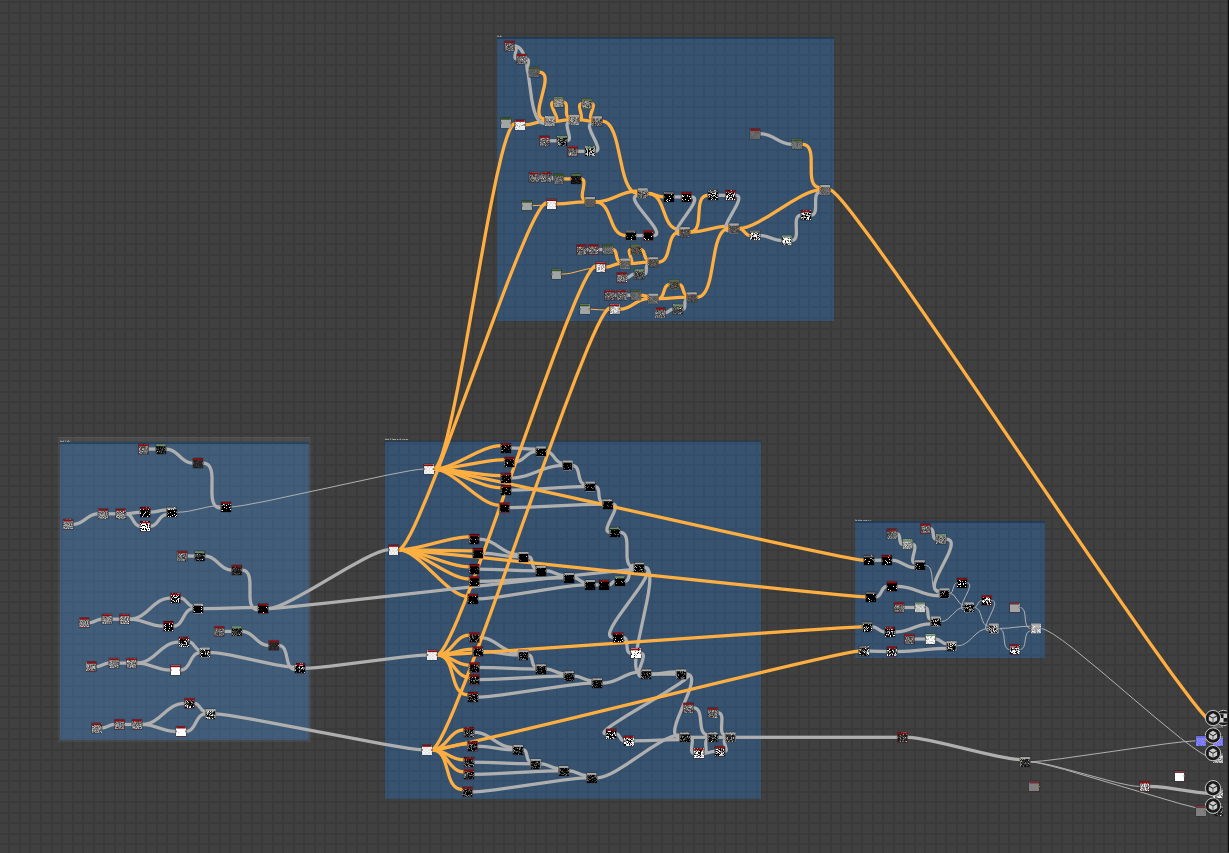
In the following examples, you can see some procedural materials created to match the photogrammetry examples. Each material is fully customizable, allowing for a wide range of variations. I also show the processing time for each material, which is takes significantly more time than photogrammetry with reality capture.

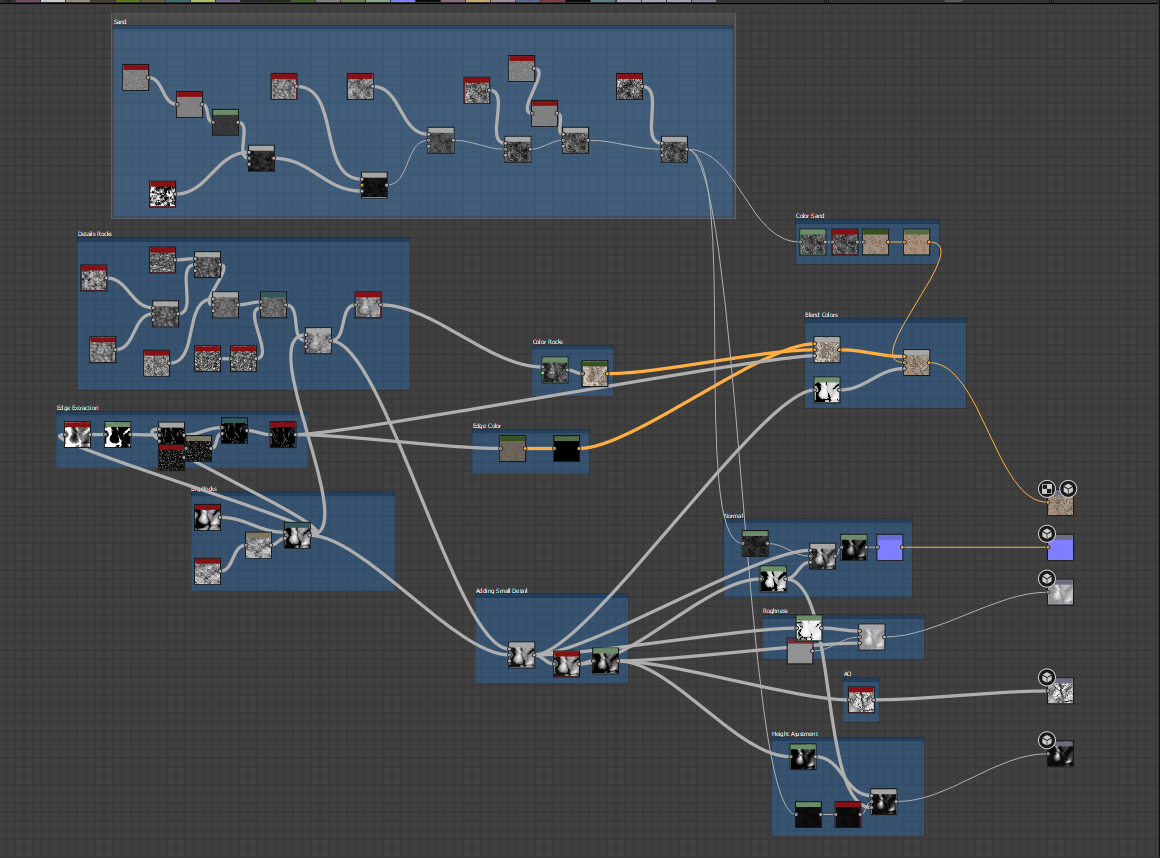
I provide a Picture of the final node setup and the project file for each material, so you can see how they were constructed. The procedural materials are free to use and are licensed under CC0.
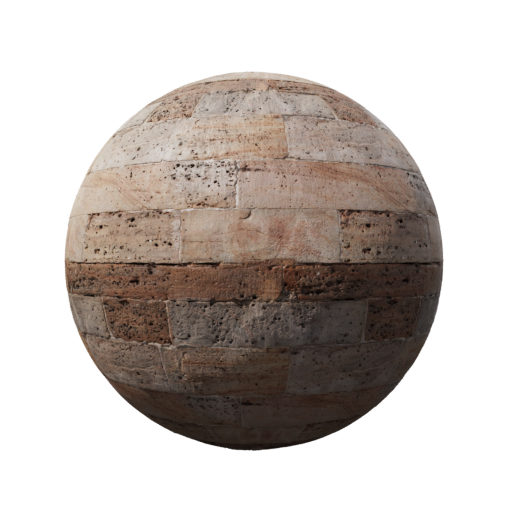
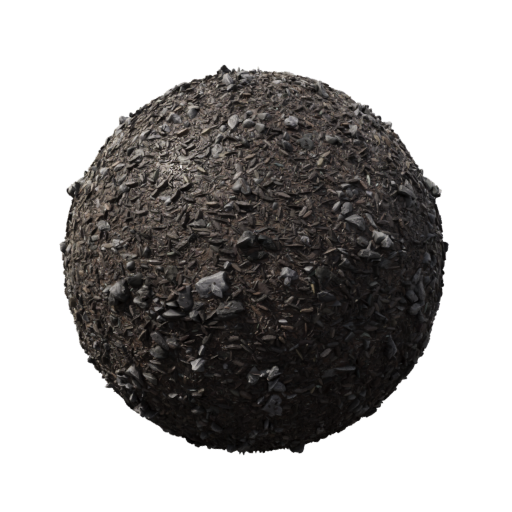
Bild 1
Bild 2
Bild 3
Bild 4
Overall Comparison Photogrammetry processing time comparison graph
Material 1 Setup Photogrammetry processing time comparison graph
Material 2 Setup Photogrammetry processing time comparison graph
Material 3 Setup Photogrammetry processing time comparison graph
Material 4 Setup Photogrammetry processing time comparison graph
Note: Procedural generation can be a time-consuming process, especially when creating complex materials. The processing times for the procedural materials are real working times, as they require manual setup and adjustments to achieve the desired look. Instead of using a software like Reality Capture or Meshroom, which can automate the process, procedural generation requires a more hands-on approach. The times listed above reflect the average time it took to create each material from scratch, including the time spent on tweaking parameters and testing different variations.

4. AI-Assisted Generation

Newer tools use AI to generate seamless textures from text prompts or reference images. While still maturing, they can dramatically speed up early-stage material concepting.

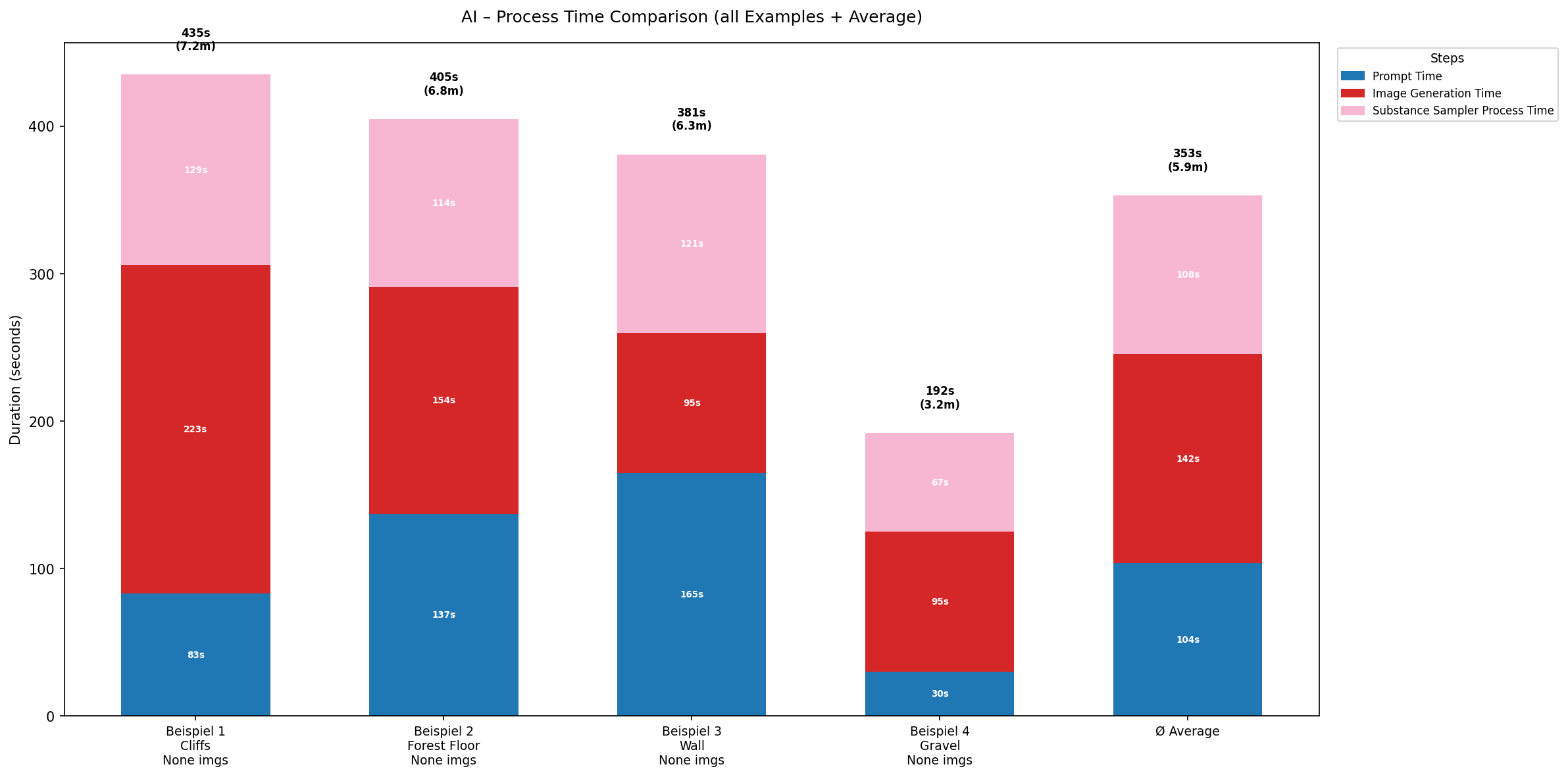
For measuring the processing time of the AI-Assisted Generation method, I used the same 4 example materials and generated them with 2 AI tools. The processing time was significantly faster than the other methods.

Prompts for the 4 example materials generated with both method

Example 1

Create a seamless PBR Base Color (Albedo) texture captured from a rocky hilltop. The texture consists of a large weathered rock cliff outcrop occupying the center area, surrounded by natural sandy soil, dirt patches, gravel, and many small scattered rocks. The cliff surface shows realistic cracks, erosion, layered stone formations, and rough rock details. Natural earth tones with gray, beige, brown, and warm sandstone colors. High photogrammetry quality, highly detailed, realistic ground scan appearance. Top-down orthographic view, texture only, no perspective, no vegetation, no grass, no trees, no sky, no shadows, no ambient occlusion, no lighting information. Perfectly seamless and tileable, suitable for a game-ready PBR Base Color texture.

Example 2

Create a seamless PBR base color texture of forest floor bark mulch made from small wood pieces. The surface should be composed of many irregular, tiny bark and wood fragments scattered naturally, forming a dense mulch layer. Color palette should be predominantly natural browns with subtle variation (dark brown, medium brown, light tan). The texture must be flat and texture-only (no lighting, no shadows, no ambient occlusion), suitable for a PBR base color/albedo map. Top-down view, highly detailed, tileable, and game-ready.

Example 3

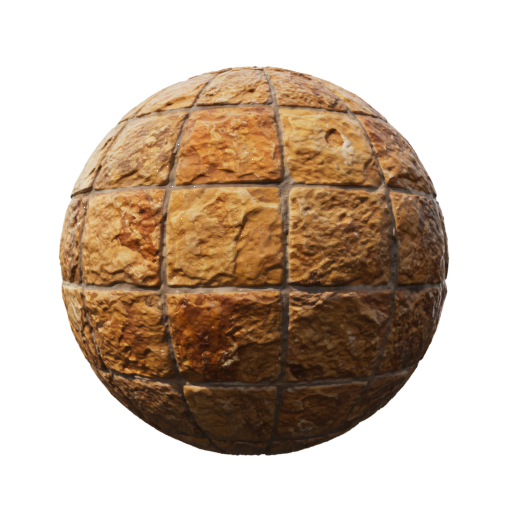
Create a seamless PBR basecolor (albedo) texture of a tiled rock wall. The surface consists of a 5x3 grid of large stone tiles. Each tile is made of rough natural rock with a mix of orange, yellow, and brown tones, slightly varied per tile for natural variation but consistent overall material identity.

Example 4

Create a seamless PBR basecolor (albedo) texture of a natural gravel floor surface. The ground is composed of small to medium-sized irregular stones and pebbles, with a realistic mix of earthy colors including grey, dark grey, brown, beige, and subtle hints of muted tan. The distribution of stones should be natural and non-repetitive, with slight variation in size and shape to avoid tiling patterns.

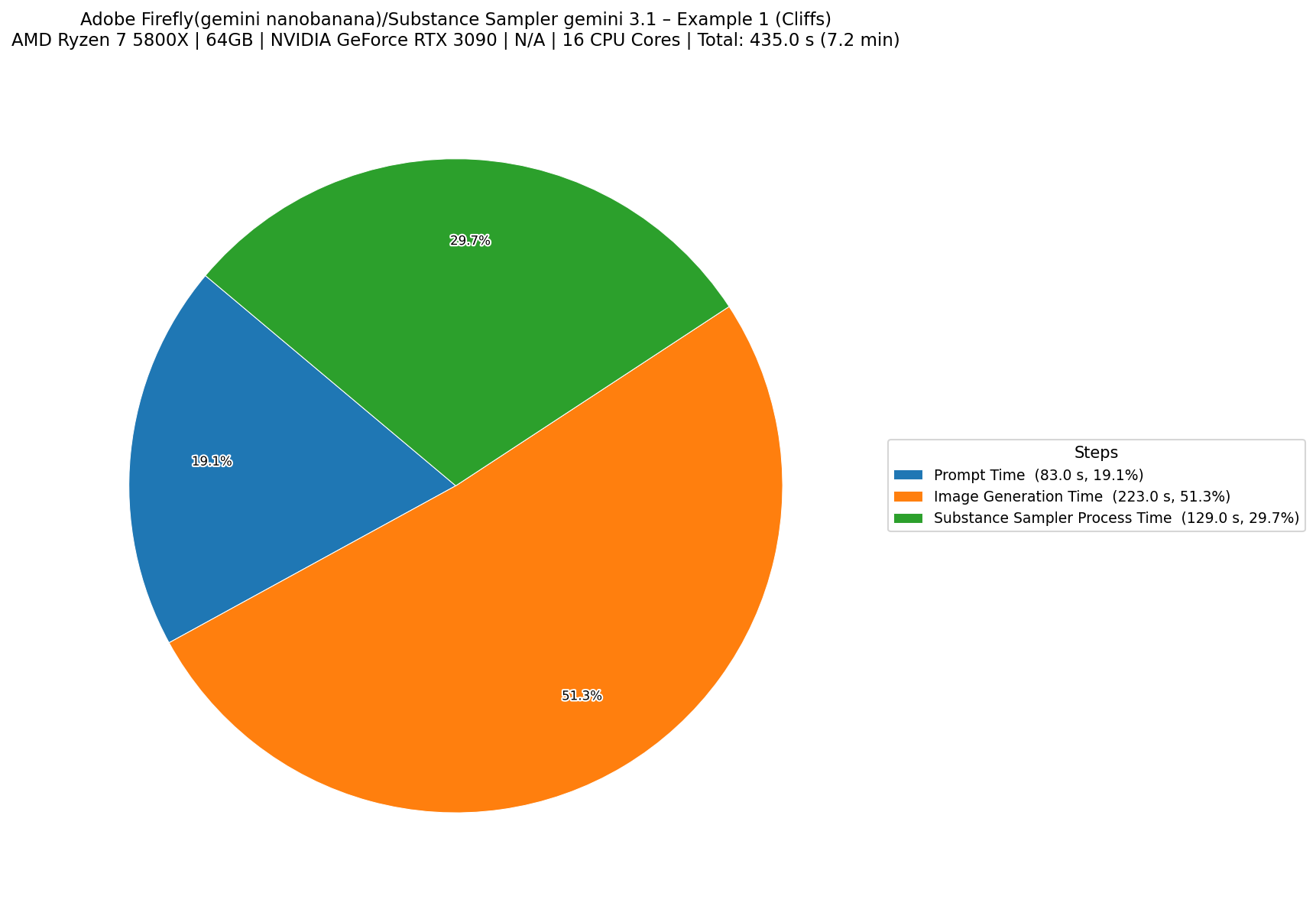
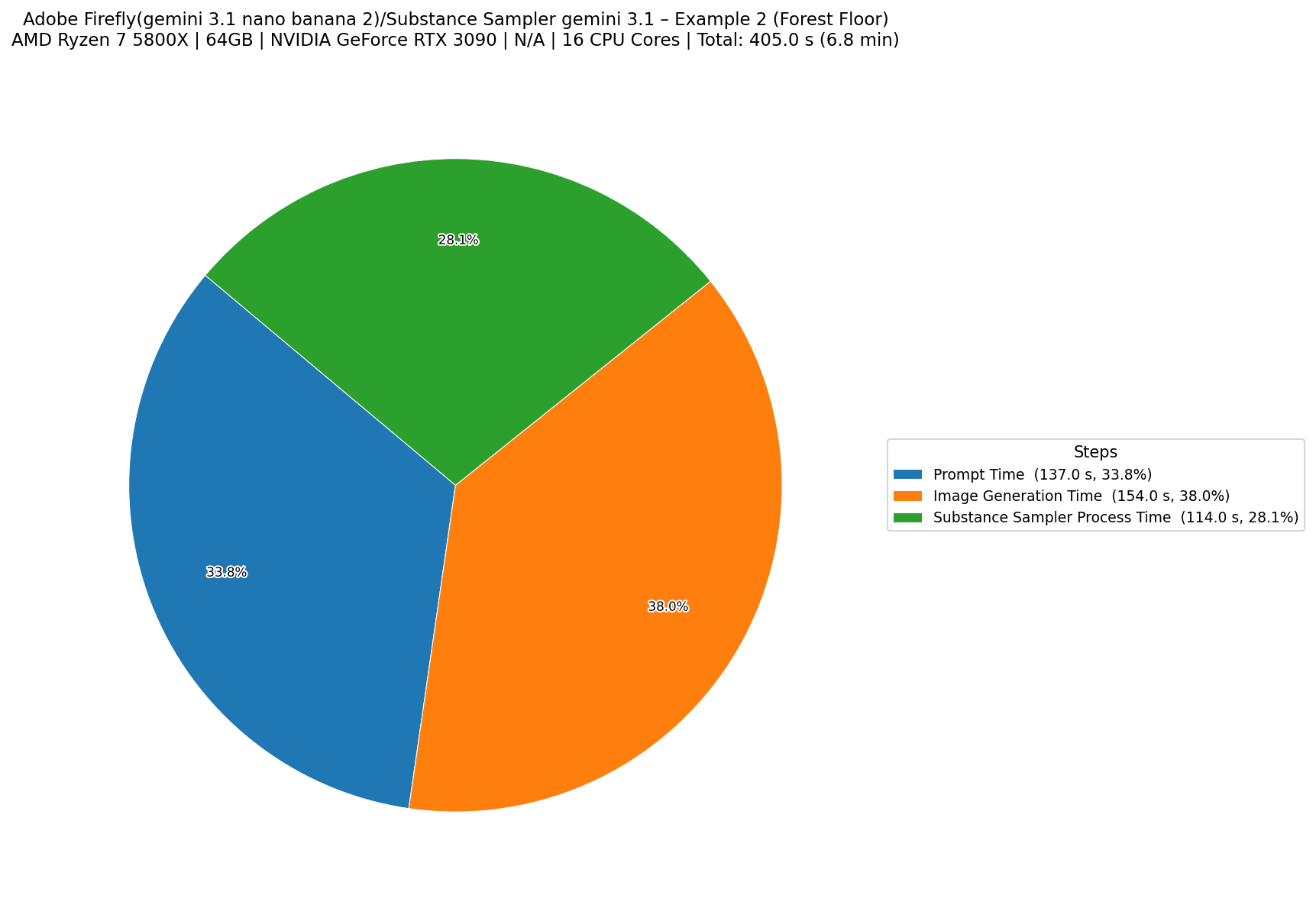
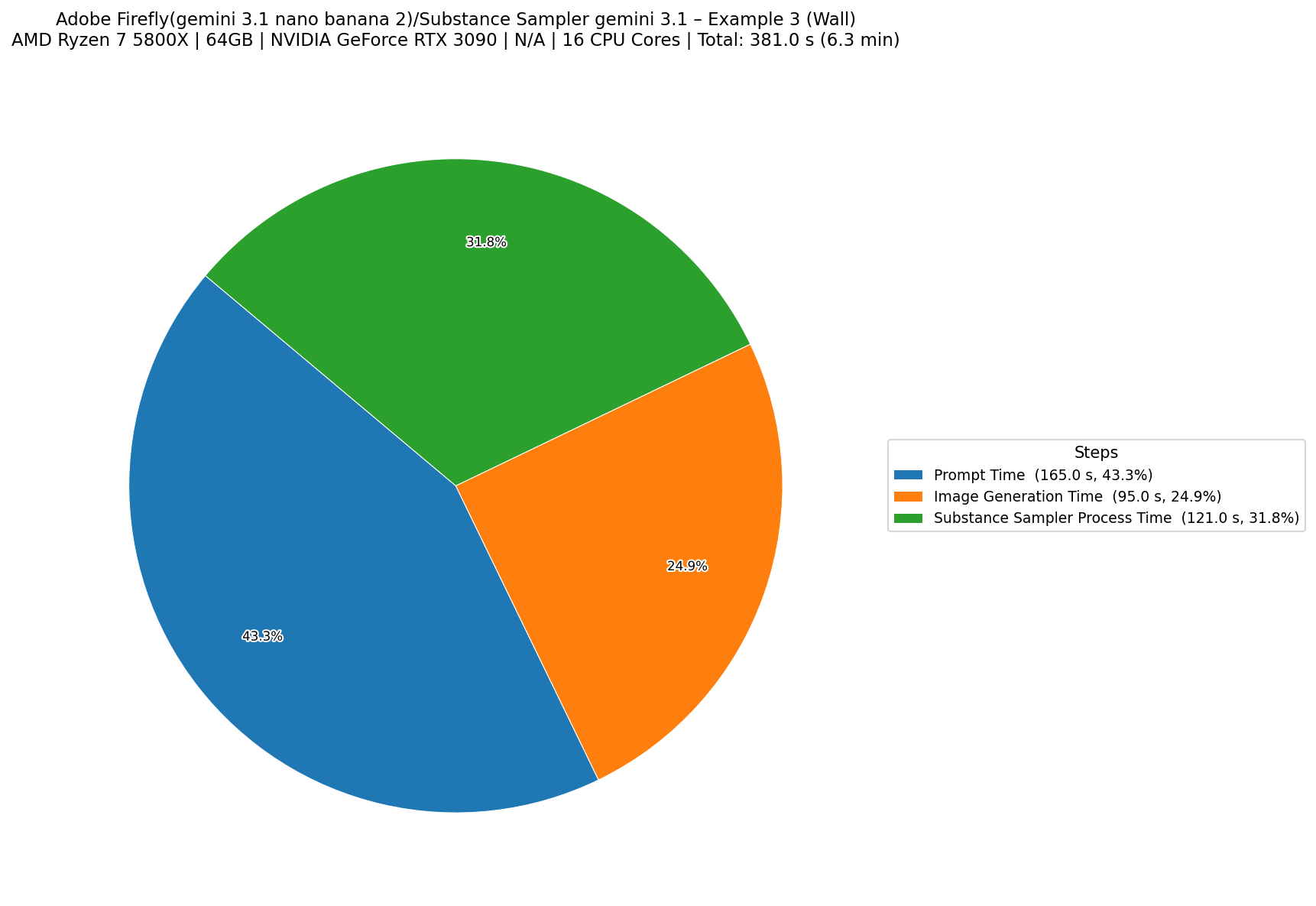
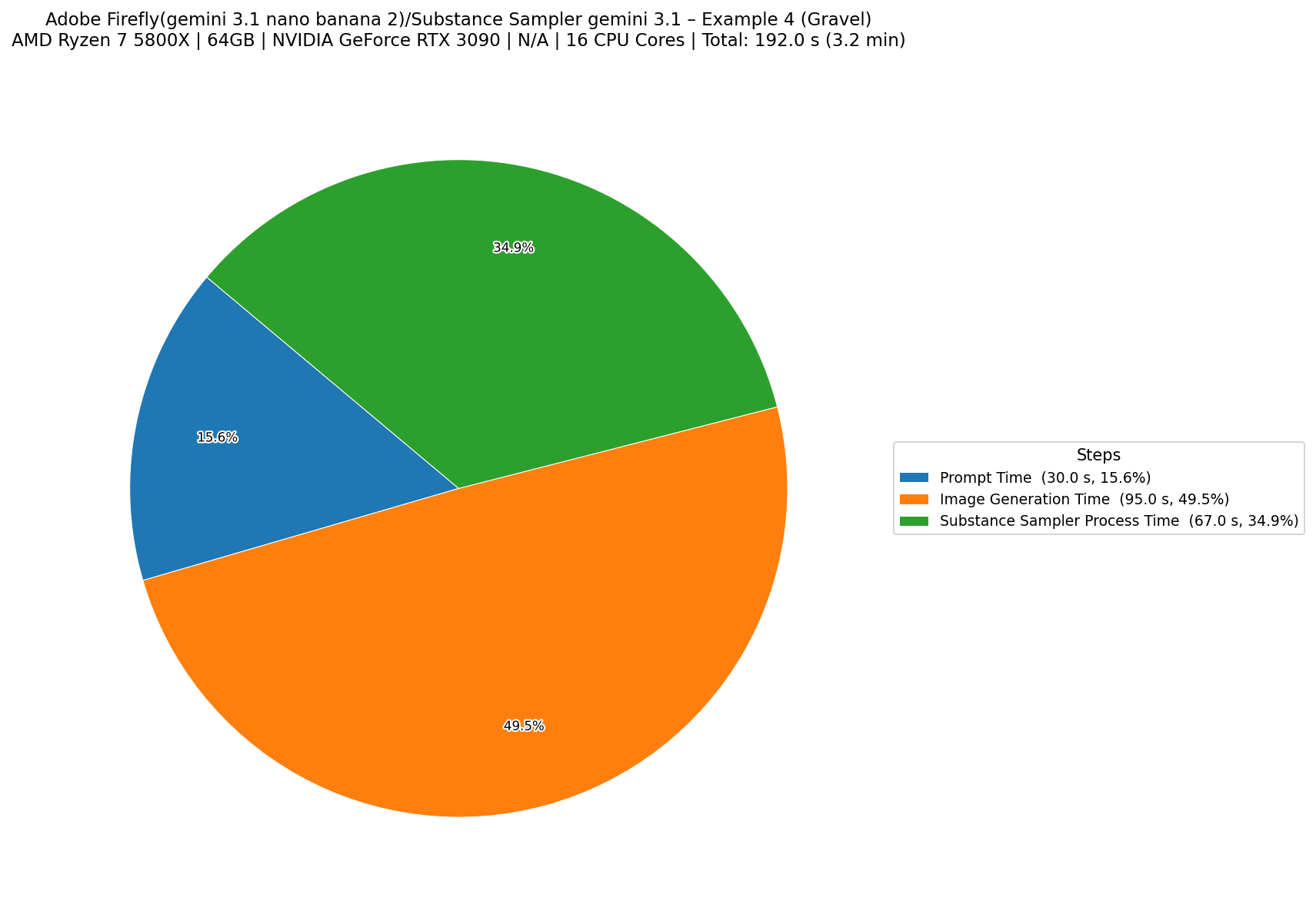
AI-Assisted Generation Methode 1

For this method, I used Adobe Firefly with Google Gemini (Nanobanana) for the Basecolor and Substance Sampler to generate the other maps. These are the results of the 4 example materials generated with this method.
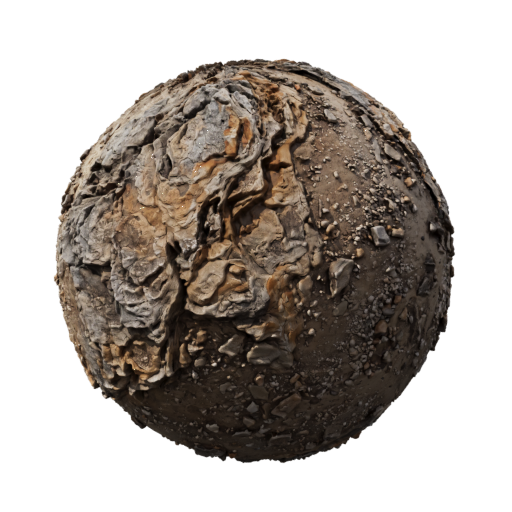
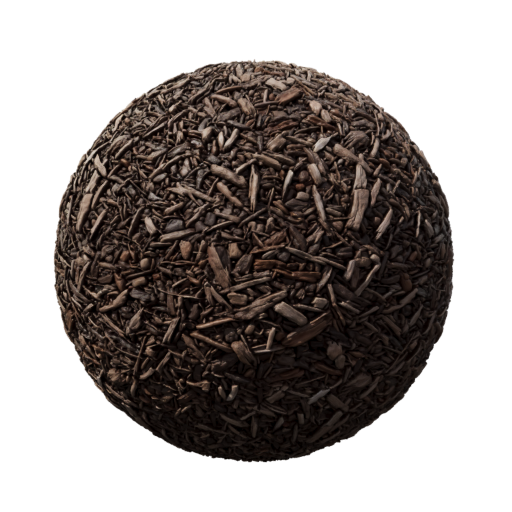
Bild 1
Bild 2
Bild 3
Bild 4

Processing time for the 4 example materials generated with this method.
Example 1 Photogrammetry processing time comparison graph
Example 2 Photogrammetry processing time comparison graph
Example 3 Photogrammetry processing time comparison graph
Example 4 Photogrammetry processing time comparison graph
Overall Comparison Photogrammetry processing time comparison graph

AI-Assisted Generation Methode 2
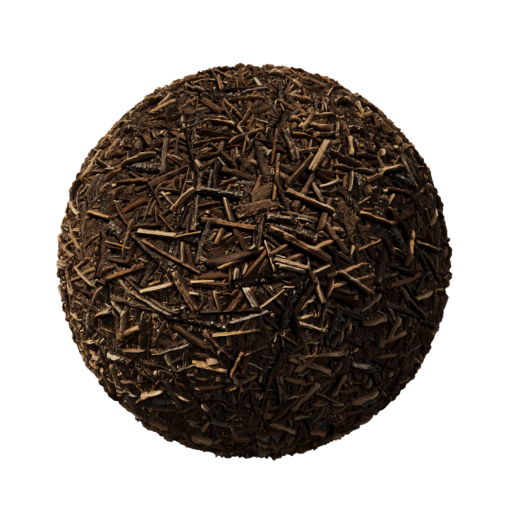
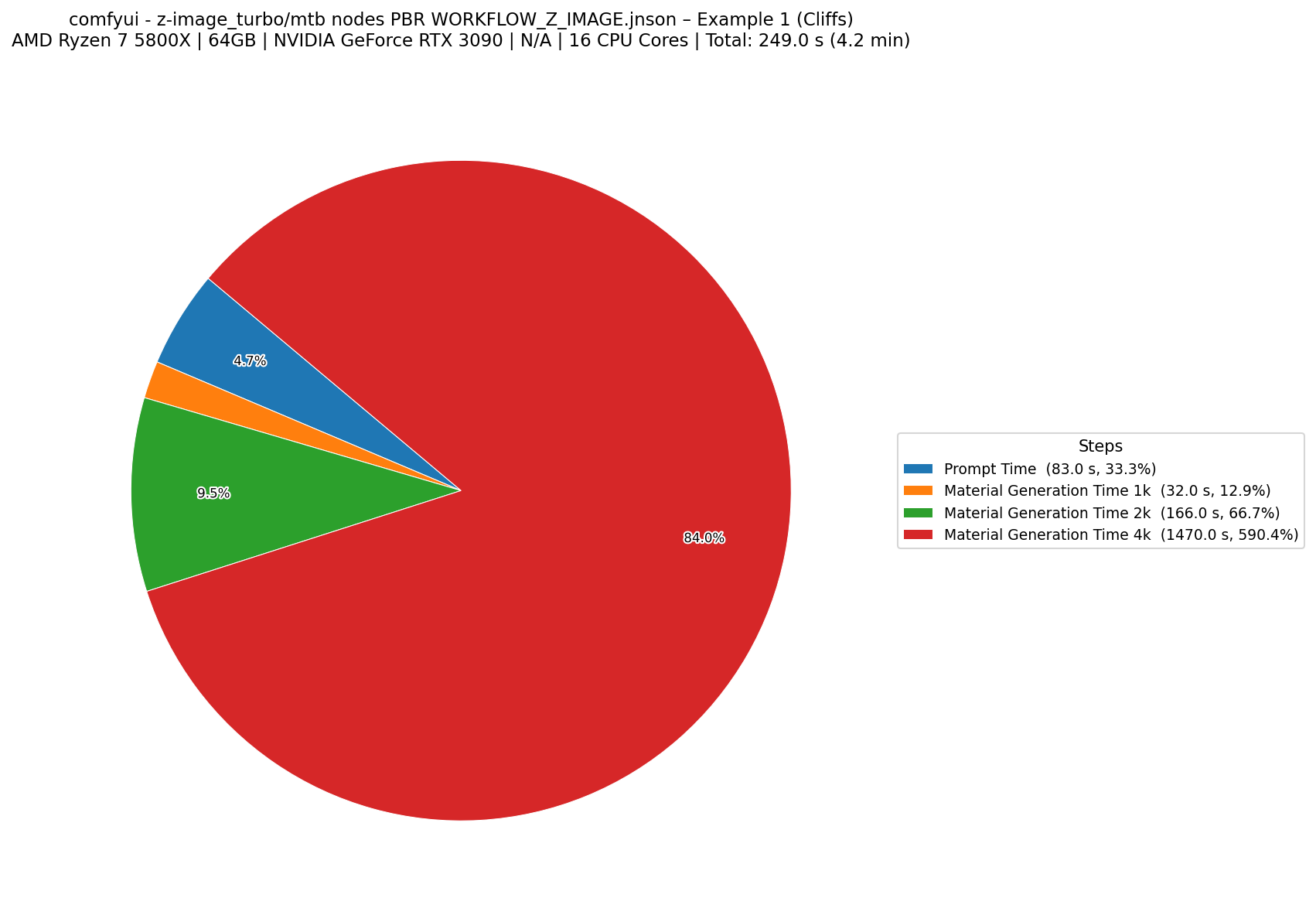
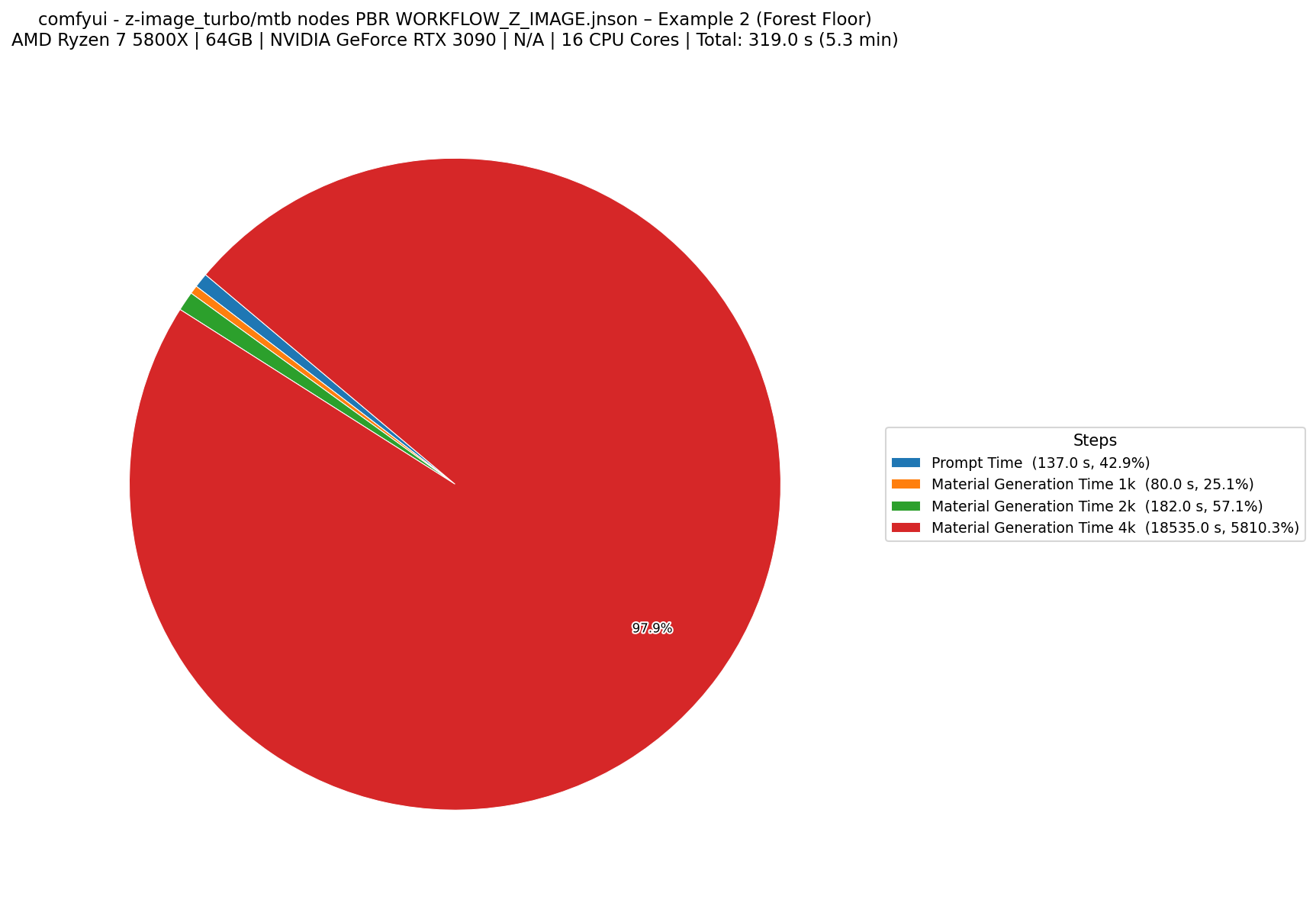
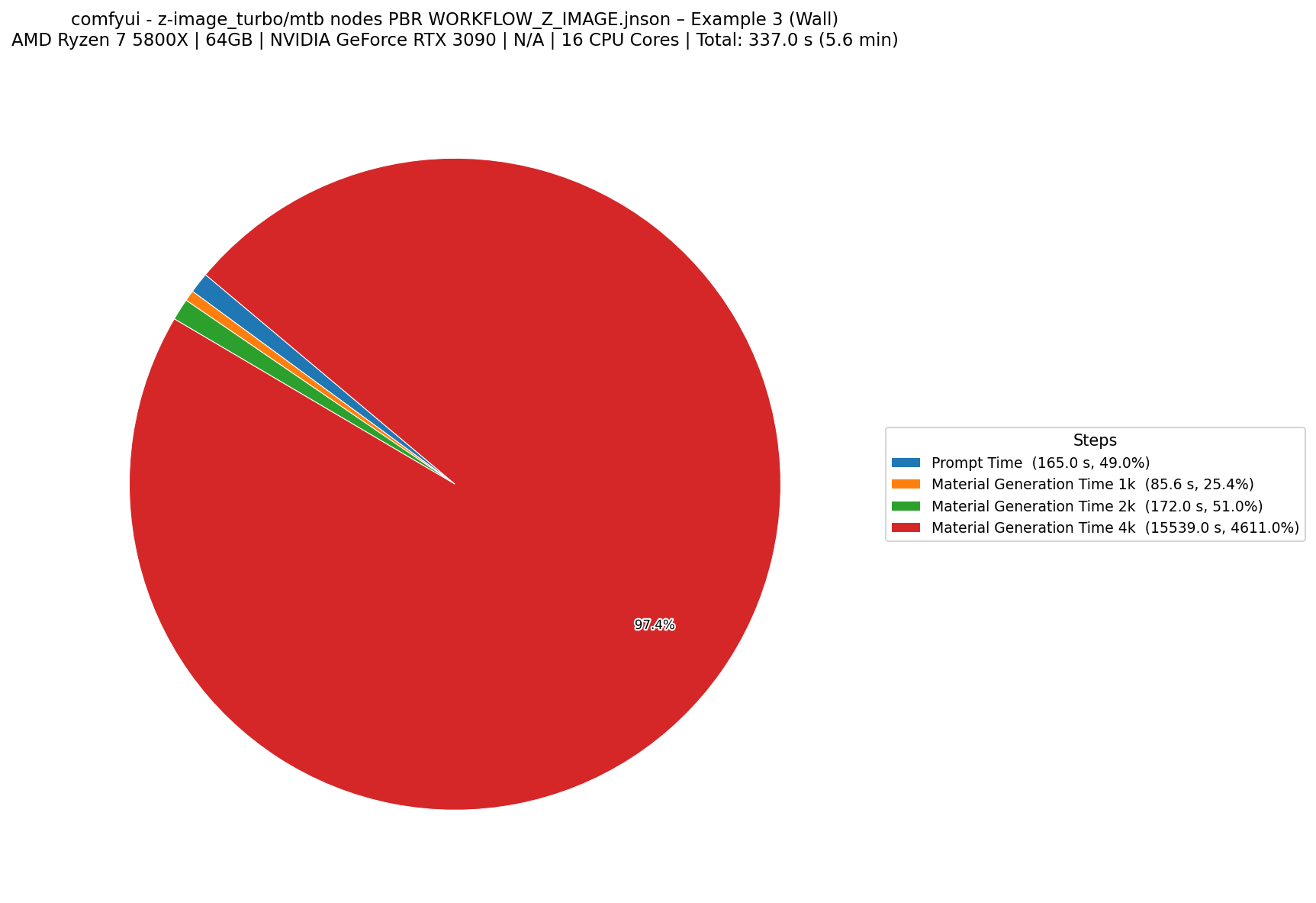
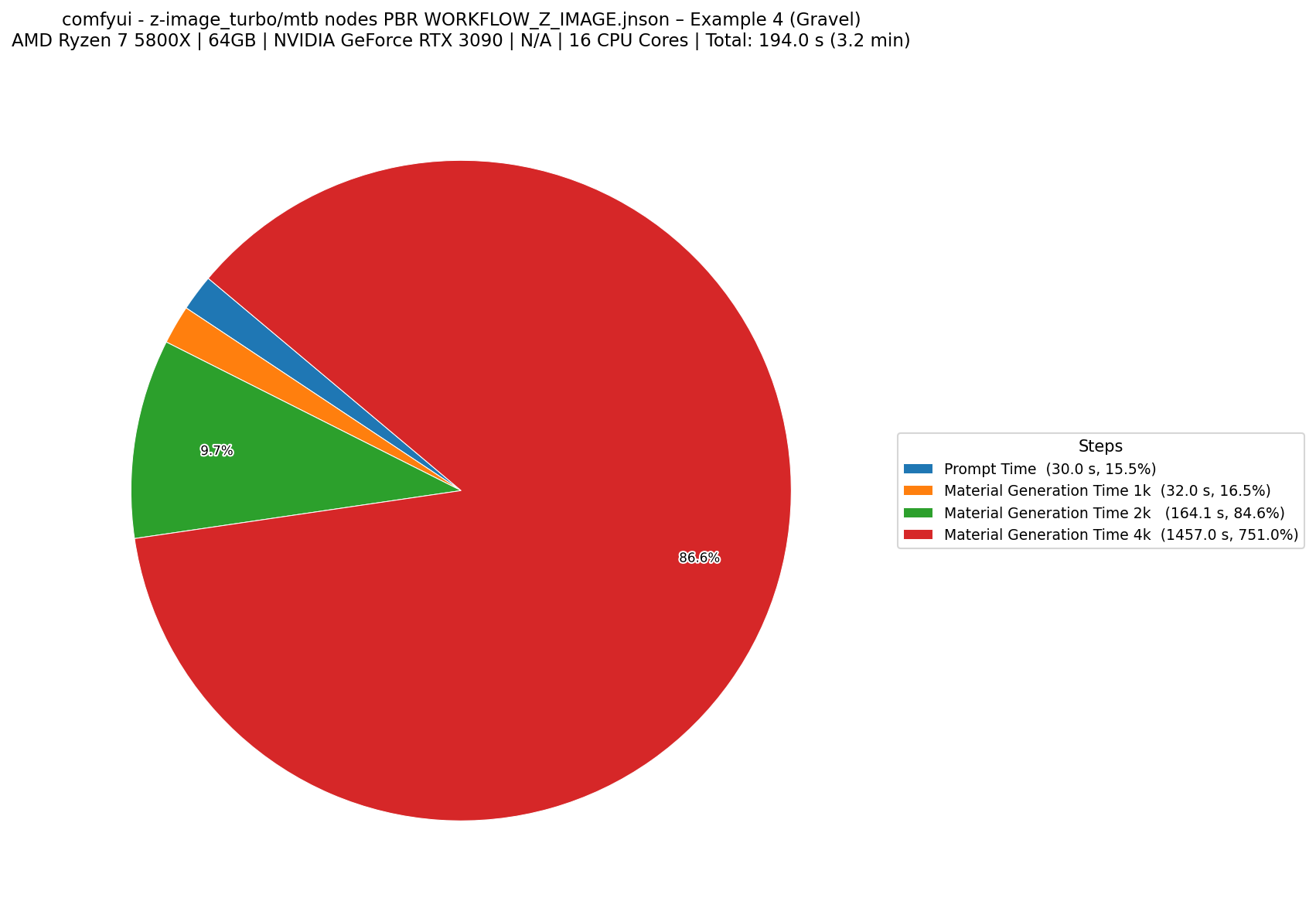
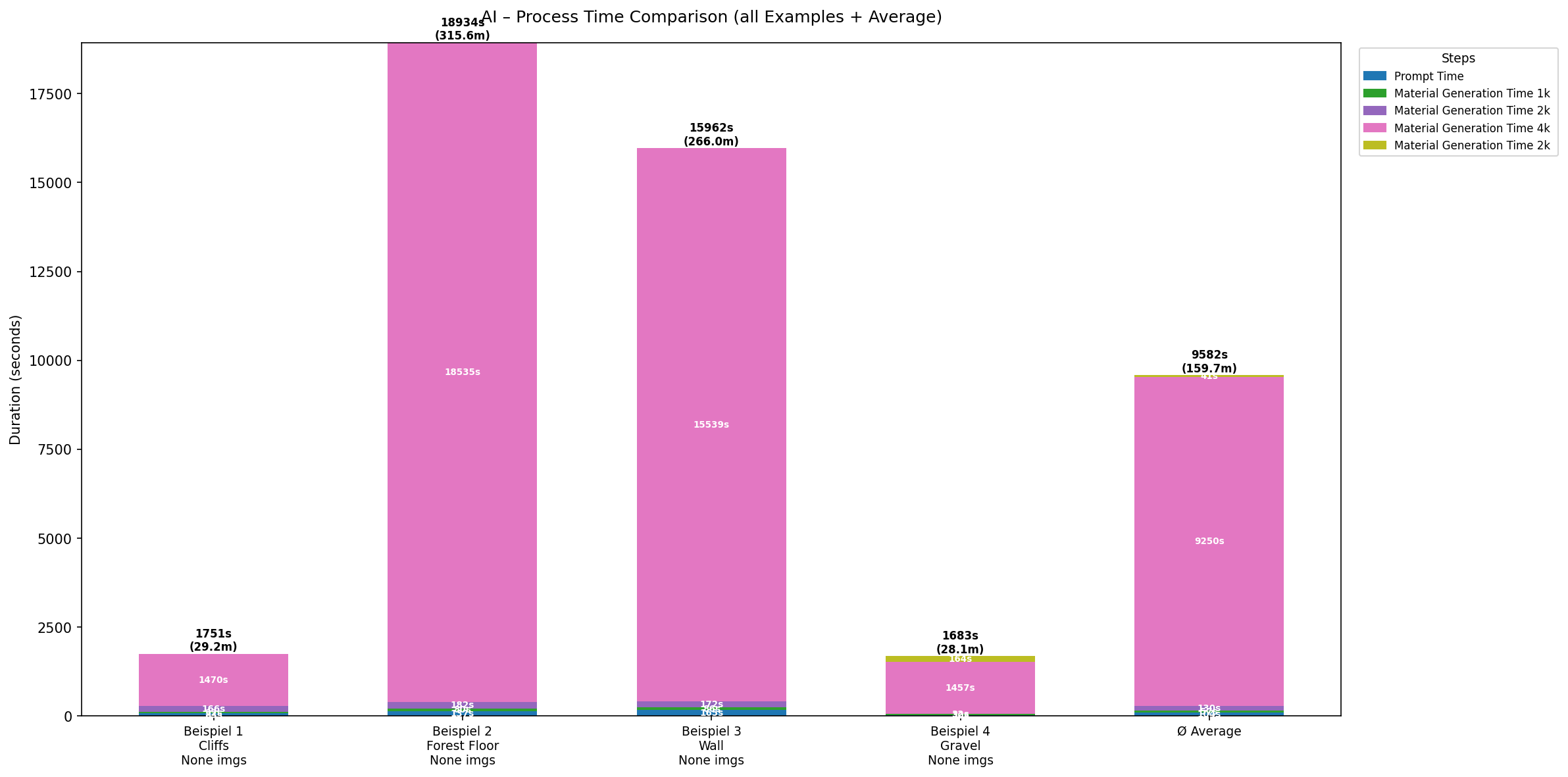
for this method, I used a Local machine approach. I build a Setup with Comfy Ui. For the Basecolor Image Generation i Used Z-image_turbo and for the other maps mtb nodes.
Bild 1
Bild 2
Bild 3
Bild 4

Processing Times

Note: with this methode i had problems with generating 4k Images. The Total Processing times are for 2k Image Generation and the Propting time. I also Prvide the Numbers for 1k and 4k Generation as well.
Example 1 Photogrammetry processing time comparison graph
Example 2 Photogrammetry processing time comparison graph
Example 3 Photogrammetry processing time comparison graph
Example 4 Photogrammetry processing time comparison graph
Overall Comparison Photogrammetry processing time comparison graph

Average and Comparison of the Methods
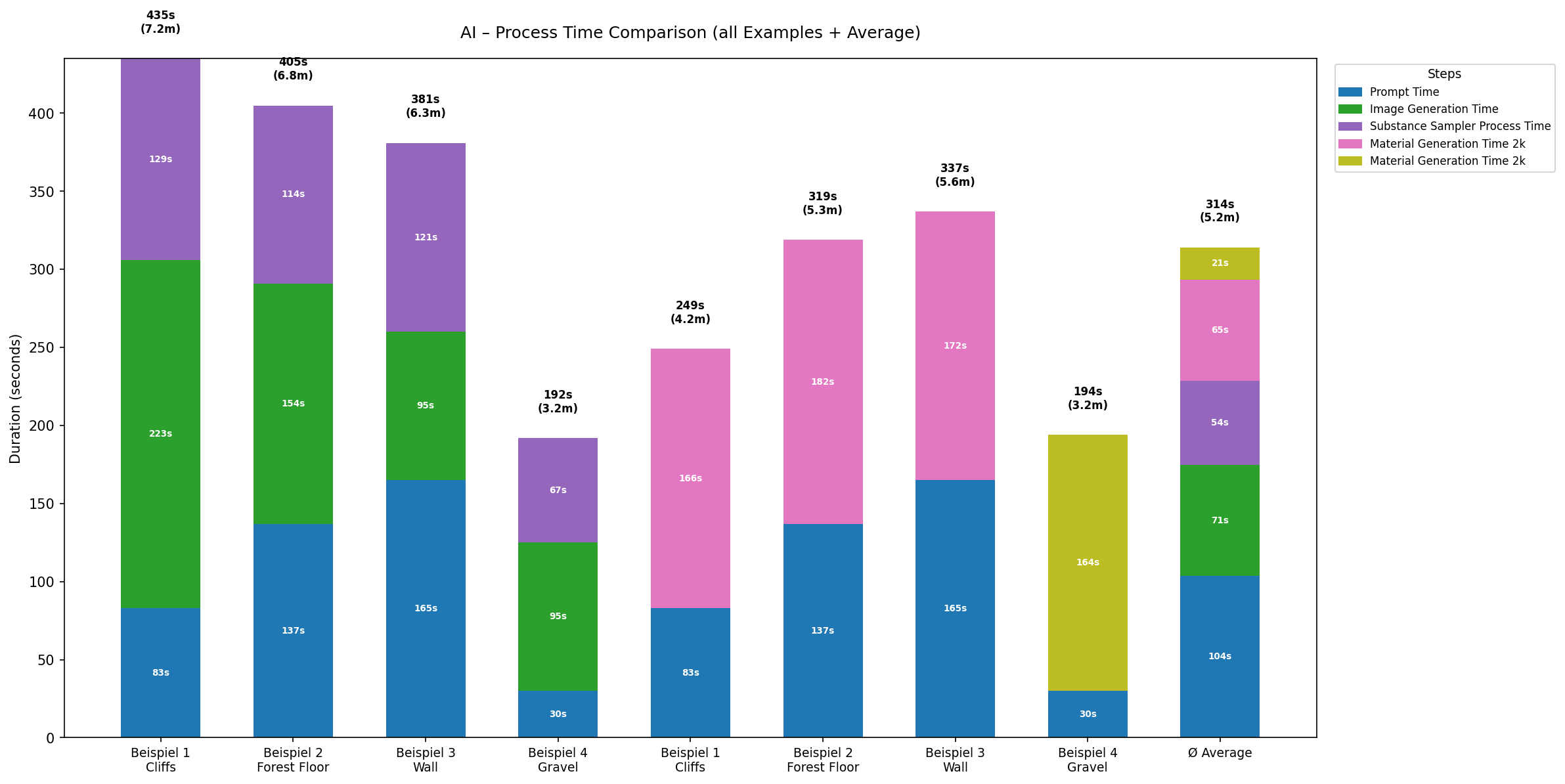
Overall Comparison Photogrammetry processing time comparison graph

Conclusion

In conclusion, each method of PBR material creation has its own strengths and weaknesses. It depense on the project requirements, available resources, and desired level of realism.

Photogrammetry is perfect for achieving high realism, especially for natural materials, but it can be time-consuming in processing times. But it has grate ways to automate this process. wile im reasearching this article for a seminar work, I created a Automation Script for Reality Capture, which can automate the whole process of photogrammetry. I will provide the github repository for this script in here

Procedural generation offers flexibility and control, making it suitable for creating tileable textures and variations. However, it may require more time and expertise to achieve photorealistic results. Also the user needs to have experience with the software and the node setups to create the materials.

Ai generated materials are the fastest methode. but the results are not as good as the other methods. The user has less control over the final result and the quality of the materials is not as high as the other methods. But it is a good methode for concepting and generating ideas for materials. The lack of quality is often seen in normal and displacement maps, which are often not as detailed as the other methods. But the user can use the generated materials as a base and then tweak them in a software like Substance Designer or Blender to achieve the desired result.

Method Realism Speed Control
Photogrammetry★★★★★★★☆☆☆★★☆☆☆
Procedural★★★★☆★★★☆☆★★★★★
AI-Assisted★★★☆☆★★★★★★★☆☆☆
← Back to Articles